Jera Value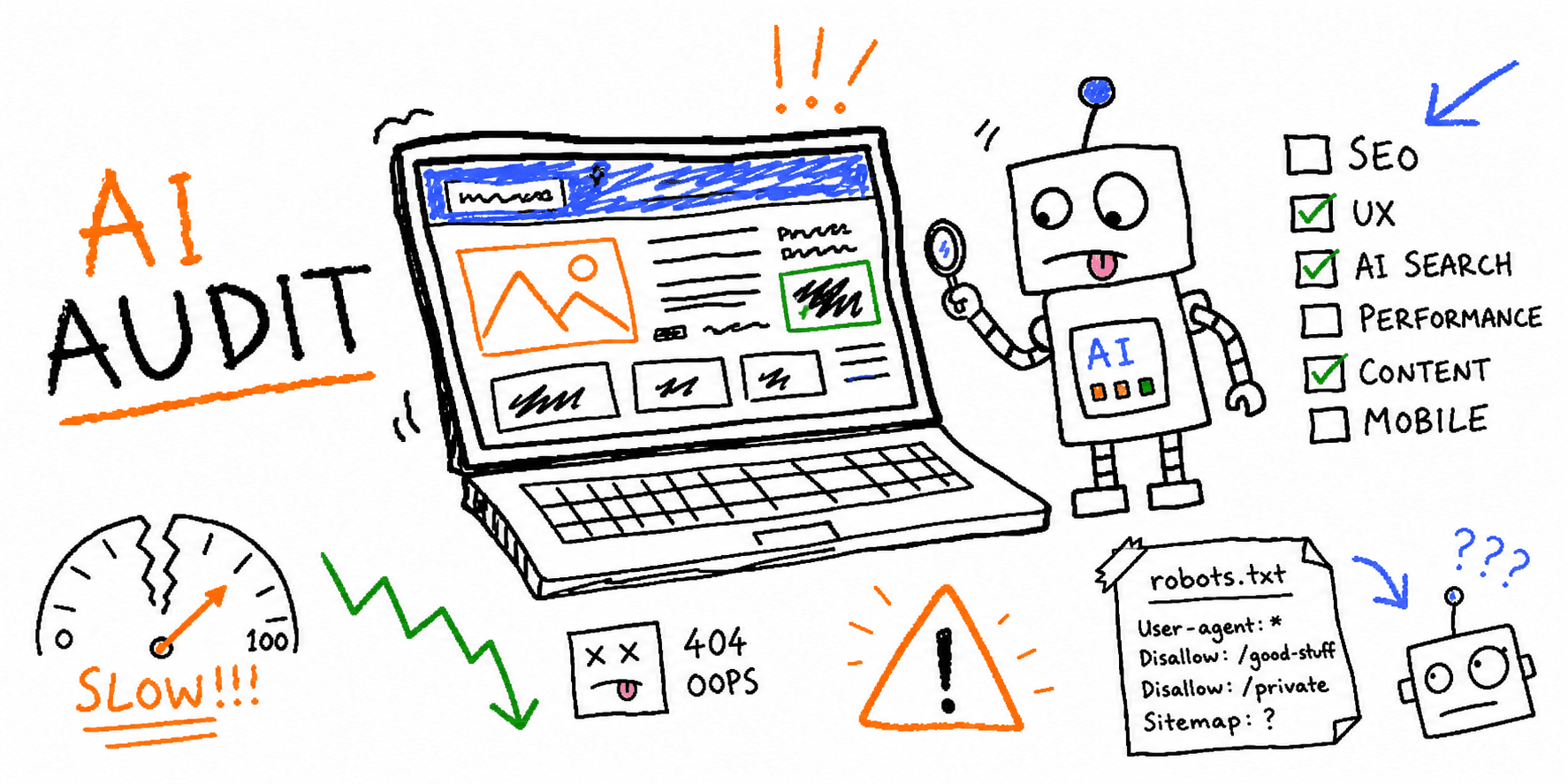

An AI website audit checklist should do more than hand you a score. The useful version tells you which pages are confusing, which SEO basics are blocking discovery, which performance issues hurt real users, and which fixes deserve attention first.
The best audit is not "AI vs human." It is AI doing the fast scan, then a person making judgment calls on brand, audience, risk, and priority.
If you want the commercial tool page instead of this checklist, run your URL through the AI Website Audit. If you need a focused search review, use the SEO audit tool.
This guide gives you a practical checklist, a scoring rubric, a report template, and prompts you can use to turn an AI audit into fixes your team can ship.
Which audit guide should you use?
Use this article when the search intent is specifically about using AI to review a website across SEO, UX, performance, content, conversion, and AI search readiness.
For adjacent jobs, use these more focused guides instead:
| If you need... | Use this instead |
|---|---|
| An AI-powered audit product page | AI Website Audit |
| A general non-AI website audit workflow | Website audit checklist |
| A list of audit software options | Website audit online tools |
| A technical crawl and indexation review | Technical SEO audit |
| An SEO-only page review | SEO website audit checklist |
| A client deliverable format | Website audit report format |
| A grader-style tool comparison | Website grader tools |
What is an AI website audit?
An AI website audit is a structured review of a website using automated checks plus AI analysis. A strong audit usually looks at:
- SEO basics: titles, meta descriptions, headings, internal links, canonicals, indexability, and schema.
- UX and conversion: first-screen clarity, navigation, trust signals, CTAs, forms, mobile friction, and page flow.
- Content quality: intent match, proof, readability, freshness, topic depth, and weak or duplicated pages.
- Performance: Core Web Vitals, image weight, render-blocking resources, layout shift, and mobile load issues.
- AI search readiness: whether crawlers and answer engines can access, parse, and understand your important pages.
Google's own SEO starter guide frames SEO as helping search engines understand your content and helping users decide whether to visit. That is the right mindset for AI audits too: make the site clearer for machines because it is clearer for people first.
When to run an AI website audit
Run an AI audit before you:
- Launch a new website or landing page.
- Start paid acquisition.
- Redesign a homepage, pricing page, or service page.
- Publish a content hub.
- Migrate domains or change URL structure.
- Pitch a client on SEO, UX, or conversion work.
- Investigate a traffic drop or low conversion rate.
You should also run a lighter audit every month on revenue-critical pages. A homepage, pricing page, demo page, checkout flow, and top organic landing pages deserve more attention than low-stakes blog archives.
AI Website Audit Checklist
Use this checklist for a fast but serious review. Score every item as:
- Pass: good enough for now.
- Fix: visible issue that should be improved.
- Investigate: needs data, screenshots, logs, or user research.
- Skip: not relevant to this page type.
1. Search visibility
- The page is indexable and not blocked by
noindex, robots.txt, auth, or accidental staging rules. - The canonical URL points to the correct final URL.
- The title tag is unique, specific, and aligned with the main search intent.
- The meta description explains the page value in plain language.
- The H1 matches the page topic without duplicating every title-tag word.
- Important content is visible in rendered HTML, not hidden behind broken scripts.
- Internal links point to this page from relevant hubs or parent pages.
- The page links onward to the next useful step.
Useful tools:
2. AI search and crawler access
AI search visibility still depends on boring fundamentals: crawlable pages, clear entities, useful content, good internal links, and structured data that represents visible page content.
Check:
- Your robots.txt file does not accidentally block important public pages.
- Your sitemap includes important canonical URLs.
- Key pages are linked internally from crawlable pages.
- AI and search crawler rules match your policy, not a copied default.
- Important facts are written as clear text, not only embedded in images.
- Product, service, author, organization, FAQ, and article details are explicit.
- The page answers concrete questions a buyer, founder, marketer, or evaluator would ask.
Here is a starting robots.txt pattern for teams that want search discovery but do not want every training crawler treated the same way:
User-agent: *
Allow: /

Sitemap: https://www.example.com/sitemap.xml

# Allow ChatGPT search discovery.
User-agent: OAI-SearchBot
Allow: /

# Block OpenAI training crawler if that matches your content policy.
User-agent: GPTBot
Disallow: /

# Block Common Crawl if that matches your content policy.
User-agent: CCBot
Disallow: /
Do not paste this blindly. Some teams want broad AI visibility. Others need stricter content controls. The audit job is to make the current policy visible and intentional.
Helpful references:
3. Structured data and machine readability
Structured data will not guarantee rich results or AI citations, but it helps search systems understand the page when it is accurate and matches visible content.
Check:
- The page uses the most relevant schema type, such as
Article,FAQPage,Product,SoftwareApplication,Organization,LocalBusiness, orBreadcrumbList. - JSON-LD is valid.
- Marked-up content is visible to users on the page.
- Images referenced in schema are crawlable and relevant.
- Dates, author names, prices, ratings, and availability are current.
- The page has breadcrumbs or a clear location in the site hierarchy.
Google recommends JSON-LD for structured data and warns that structured data must represent the page content. That means your audit should flag "schema theater": markup added only to chase features, while the page itself does not support it.
Useful tools:
4. Page speed and Core Web Vitals
PageSpeed scores are not the whole story, but performance is still a UX issue. Slow pages waste attention and make every conversion path weaker.
Check:
- Largest Contentful Paint is held back by oversized hero images, slow server response, render-blocking CSS, or client-heavy JavaScript.
- Interaction to Next Paint is hurt by long tasks, heavy scripts, third-party tags, or hydration work.
- Cumulative Layout Shift is caused by images without dimensions, late-loading ads, embeds, banners, or injected UI.
- Critical images are compressed and served at the right size.
- Fonts do not create distracting shifts or invisible text.
- Tracking scripts are necessary, consent-aware, and not duplicated.
- Mobile results are reviewed separately from desktop.
Google PageSpeed Insights combines lab and field data when available, and Core Web Vitals focus on loading speed, interactivity, and visual stability. An AI audit should translate those metrics into plain-language fixes, not just repeat metric names.
Use:
5. UX and first-screen clarity
Most sites do not fail because the footer is imperfect. They fail because the first screen makes people work too hard.
Check the first screen on desktop and mobile:
- A first-time visitor can tell what the site offers within 5 seconds.
- The page says who it is for.
- The primary outcome is concrete.
- The CTA describes the action, not a vague command like "Submit."
- The hero is not overloaded with multiple competing CTAs.
- Navigation labels match user intent, not internal team structure.
- Trust signals appear before users are asked for commitment.
- Mobile layout keeps the headline, proof, and CTA readable without awkward scrolling.
For deeper UX review, pair the audit with:
6. Copy and content quality
AI is useful at spotting weak copy patterns because most weak websites repeat the same mistakes: vague claims, missing proof, buried details, and long sections that never answer the buyer's real question.
Check:
- The intro answers the search intent before introducing the brand.
- Claims are specific enough to be believed.
- Benefits are tied to user pain, risk, time, money, or effort.
- Jargon is explained or removed.
- Examples show what "good" looks like.
- Objections are handled before the CTA.
- Each section earns its place.
- Outdated claims, old screenshots, and stale stats are marked for update.
- Important pages have a clear next step.
Good AI audit prompt:
Audit this page for copy clarity and conversion friction.

Audience: [describe the visitor]
Goal: [signup, demo, purchase, lead, newsletter, etc.]
Page type: [homepage, service page, pricing page, blog post, landing page]

Return:
1. The 5 biggest clarity problems.
2. The exact page section where each problem appears.
3. A better rewrite for each weak sentence or CTA.
4. Any missing proof, objections, or comparison details.
5. The first 3 fixes to ship this week.
For content-heavy sites, use website content analysis and the website content checklist.
7. Conversion path and forms
An AI website audit should not stop at "this page looks good." It should ask whether users can actually complete the job.
Check:
- Primary CTA is visible at natural decision points.
- CTA copy matches the offer.
- Forms ask only for necessary fields.
- Error messages explain how to fix the problem.
- Checkout, booking, or signup flows work on mobile.
- Pricing, timeline, risk, guarantees, and next steps are not hidden.
- Thank-you pages or confirmation states set the next expectation.
- Analytics events track the critical steps.
Useful pages:
AI Website Audit Scoring Rubric
Use this 100-point rubric when you need a score that is actually useful.
| Area | Points | What good looks like |
|---|---|---|
| Search visibility | 20 | Crawlable, indexable, clear titles, useful headings, strong internal links |
| AI search readiness | 15 | Crawl policy is intentional, entities are explicit, facts are easy to parse |
| Content quality | 15 | Intent match, proof, examples, freshness, and no obvious thin sections |
| UX clarity | 15 | First screen explains offer, audience, benefit, proof, and next step |
| Performance | 15 | Mobile speed and Core Web Vitals issues are prioritized by impact |
| Conversion path | 15 | CTA, forms, pricing, trust, and next steps are clear |
| Measurement and maintenance | 5 | Analytics, ownership, and re-audit cadence are defined |
Score bands:
- 85-100: Strong. Fix edge cases and monitor.
- 70-84: Good foundation. Prioritize the highest-impact gaps.
- 50-69: Leaky. Users and search engines are probably missing important context.
- 0-49: Rebuild the page strategy before polishing details.
Copy/paste AI website audit worksheet
Use this table in Google Sheets, Notion, Airtable, or your project tracker.
| URL | Page type | Primary goal | Main keyword | Search issue | UX issue | Content issue | Performance issue | AI crawler/schema issue | Priority | Owner | Fix |
|---|---|---|---|---|---|---|---|---|---|---|---|
| /pricing | Pricing | Trial signup | pricing | Weak title | CTA below fold | Missing plan-fit guidance | Heavy chat widget | No product/schema clarity | High | Growth | Rewrite hero, compress scripts, add FAQ |
| /blog/example | Blog | Organic traffic | example keyword | Thin intro | Weak next step | Missing examples | Oversized images | Article schema missing image | Medium | Content | Update intro, add examples, add schema |
What an AI website audit report should include
A client-ready report should be easy to act on. Use this outline:
- Executive summary: the 5 highest-impact fixes.
- Scorecard: SEO, UX, content, performance, conversion, and AI readiness.
- Page screenshots: annotate the exact area causing the issue.
- Issue list: problem, evidence, impact, recommendation, effort, priority.
- Fix examples: revised titles, CTAs, sections, robots rules, or schema snippets.
- Implementation plan: this week, this month, later.
- Measurement plan: metrics to watch after changes ship.
If you need a shareable report from a real URL, use the website audit report generator.
Common AI website audit mistakes
Mistake 1: Treating AI output as the final answer
AI can find patterns quickly, but it can also overstate weak signals. Validate technical claims with crawlers, Search Console, PageSpeed Insights, server logs, or the rendered page.
Mistake 2: Auditing only the homepage
Your homepage may not be the page that earns traffic or converts buyers. Audit the top pages by traffic, revenue, and strategic importance.
Mistake 3: Confusing crawl control with index control
Robots.txt controls crawling behavior. It is not the same as noindex. If a page must stay out of search results, use the correct index-control method and test it.
Mistake 4: Adding schema that does not match the page
Structured data should describe visible content. If the page does not contain FAQs, do not add FAQ schema just because a tool suggested it.
Mistake 5: Shipping a giant fix list with no priority
An audit is only useful when it creates action. Every finding should have priority, owner, effort, and expected impact.
Recommended AI audit workflow
-
Pick the page set. Start with homepage, pricing, signup, demo, checkout, and the top 10 organic landing pages.
-
Run automated checks. Capture crawlability, metadata, schema, speed, broken links, mobile issues, and redirects.
-
Run AI qualitative review. Ask for clarity, intent match, objections, CTA strength, and content gaps.
-
Validate findings manually. Confirm anything technical in the browser, source, Search Console, or audit tooling.
-
Prioritize by business impact. A confusing pricing page usually beats a minor footer metadata issue.
-
Ship a small fix batch. Rewrite the title, improve the hero, fix the CTA, compress the hero image, add key internal links, or repair indexation issues.
-
Re-audit after changes. Capture before and after screenshots, speed results, rankings, CTR, and conversion metrics.
FAQ
Are AI website audits accurate?
They are accurate enough for a first pass when they are grounded in real page data, screenshots, rendered HTML, and technical checks. They are less reliable when they guess about analytics, rankings, server behavior, or user intent without evidence.
Can an AI website audit replace an SEO consultant?
No. It can replace a lot of repetitive inspection work, but a good SEO, UX specialist, or growth marketer still needs to judge priority, strategy, technical risk, and brand context.
What is the difference between an AI website audit and an AI SEO audit?
An AI SEO audit focuses on search visibility: crawlability, indexation, titles, headings, content, internal links, schema, speed, and search intent. An AI website audit is broader. It includes SEO plus UX, copy, conversion, trust, accessibility basics, and performance.
How often should I run an AI website audit?
Run a full audit before major launches, redesigns, and migrations. For important pages, run a lighter monthly check and a deeper quarterly review.
What pages should I audit first?
Start with pages that affect revenue or acquisition: homepage, pricing, demo, signup, checkout, service pages, landing pages, and top organic traffic pages.
Final recommendation
The fastest win is not a 70-page audit. It is a short, accurate list of fixes that remove friction from important pages.
Start with one key URL. Run an AI Website Audit, check the page against the rubric above, and ship the top 3 fixes before you expand the audit to the rest of the site.