Jera Value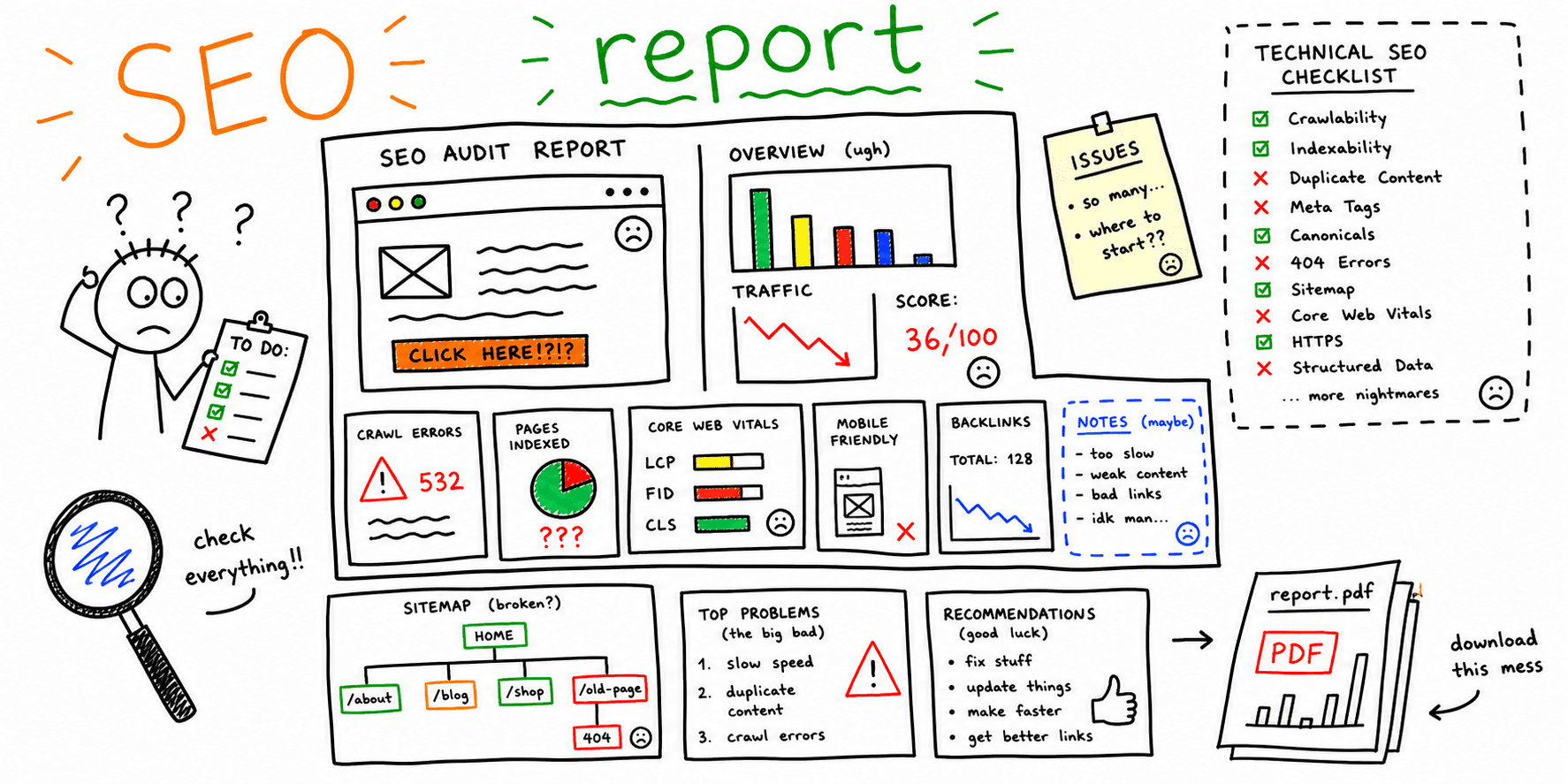

Website Audit Template: Free Copy/Paste Checklist + Report Format
Use this website audit template when you need a practical way to inspect a site, log issues, assign fixes, and turn the findings into a client-ready report. It works as a Google Sheets-style tracker, a Notion-style audit database, a Markdown checklist, or the outline for a PDF report.
If you searched for a website audit template, website audit checklist template, or website audit report template, start with the structure below and adapt it to your site, client, or agency workflow.
Free website audit template downloads
Use whichever format matches how your team works:
| Format | Best for | Download |
|---|---|---|
| Excel workbook | Running the audit, assigning work, and tracking re-tests | Download styled workbook |
| CSV tracker | Importing detailed findings into Sheets, Airtable, or another tracker | Download CSV |
| Notion-style tracker | Importing audit issues into a Notion database | Download Notion CSV |
| Printable PDF | Workshops, handwritten reviews, and a fixed report structure | Download PDF |
| Markdown outline | Writing a report in a text editor, Notion, or a repository | Download Markdown outline |
| Markdown client report | Seeing how a completed report connects evidence to action | Download sample report |
Website audit template preview
The Excel workbook has six sheets:
| Sheet | Job |
|---|---|
| Start here | Define the website, decision, audience, business goal, success metric, date, and audit owner |
| Summary | Count open priorities and show findings that still lack an owner, due date, evidence, validation check, or priority |
| Findings | Record up to 100 findings with filters, dropdowns, dates, status colors, baselines, targets, and re-test results |
| Evidence | Give each screenshot, crawl, metric, or test an ID and enough context to repeat it |
| Re-tests | Record the released change, test method, observed result, pass or fail result, and next decision |
| Examples | See four fictional findings written at the expected level of detail |
The CSV fallback uses the same findings fields:
| ID | Page | Audit area | What happened | Priority | Owner | Validation check |
|---|---|---|---|---|---|---|
| EX-01 | https://example.com/blog/* |
Technical SEO | Twelve internal links return 404 |
P0 | Development | Repeat crawl finds zero internal 404 links |
| EX-02 | https://example.com/ |
On-page SEO | H1 contains only the brand name | P1 | SEO | Approved H1 is live and the page remains indexable |
| EX-03 | https://example.com/pricing |
Conversion | Main action starts below the first screen at 390 pixels | P1 | Design | Action and plan context are visible before the first scroll |
| EX-04 | https://example.com/features |
UX | Copy does not name the intended customer | Monitor | Research | Customer language supports or rejects the audience statement |
The Notion-style tracker uses these database fields:
| Field | Type | Example |
|---|---|---|
| Page | URL | https://example.com/pricing |
| Status | Select | Not started, in progress, blocked, ready to re-test, closed, won't do |
| Priority | Select | P0, P1, P2, Monitor |
| Audit area | Select | Technical SEO, on-page SEO, content, UX, conversion, performance, accessibility, trust |
| What happened | Text | Main action starts below the first screen at 390 pixels |
| Evidence | Text or URL | E-04 or a direct link to the screenshot |
| Impact, confidence, and effort | Select | High, medium, or low impact and confidence; small, medium, or large effort |
| Recommendation | Text | Move the existing action above the comparison copy on mobile |
| Validation check | Text | Action and plan context are visible before the first scroll |
| Baseline and target | Text or number | Action below first screen; action visible with plan context |
| Re-test result | Text | Pass, fail, or inconclusive, with a link to the re-test evidence |
The PDF report outline is structured for stakeholder reading:
| PDF section | What it should contain |
|---|---|
| Executive summary | What should stay, the biggest supported risk, the first action, owner, and pass or fail check |
| Goal, scope, and limits | Decision, audience, pages, devices, sources, exclusions, and known limits |
| Baseline and evidence plan | Metric definitions, sources, periods, baselines, targets, and missing evidence |
| Findings | One problem per row, plus five full pages for detailed findings |
| Patterns and root causes | Shared causes supported by evidence, plus what should stay unchanged |
| Work plan and re-tests | Owners, dates, definitions of done, observed results, and the next decision |
| Evidence and handoff | Screenshots, crawl exports, metrics, test conditions, and report readiness |
The Markdown client report is ready for docs, GitHub issues, or a client portal:
# Sample client website audit report

This is a fictional example for example.com. Replace every URL, finding, owner, date, and metric.

## The decision

Repair the broken blog links first. They send visitors and crawlers to missing pages, and the fix is small.

## What matters first

| ID   | Priority | Page     | Finding                            | Evidence | Owner     | Done when                                    |
| ---- | -------- | -------- | ---------------------------------- | -------- | --------- | -------------------------------------------- |
| F-01 | P0       | /blog/\* | Twelve internal links return `404` | E-01     | Developer | A repeat crawl finds no internal `404` links |
Generate findings with RoastMyWeb
The templates above give you the working structure. If you want findings to populate them faster, run a URL through the website audit report generator or the SEO audit tool, then paste the highest-priority issues into the spreadsheet, Notion tracker, or client report.
Need a PDF you can send to clients? Use this website audit report PDF workflow. Agencies can use the white-label site audit report, and teams comparing vendors can review the website audit company alternative.
Website audit template
Start with one row per page, issue, or recommendation. This format is easy to copy into Google Sheets, Excel, Airtable, Notion, or a project management tool.
| URL or page | Audit area | Check | Finding | Impact | Priority | Owner | Due date | Validation |
|---|---|---|---|---|---|---|---|---|
| / | SEO | Title and H1 match search intent | H1 is brand-only and does not mention the main service | Lower relevance for non-brand searches | P1 | SEO | 7 days | Updated title/H1 indexed |
| /pricing | CRO | Primary CTA is visible above the fold | CTA appears after comparison copy on mobile | Lower trial or lead starts | P1 | Design | 10 days | Mobile CTA visible without scroll |
| /blog/* | Technical | Internal links resolve cleanly | 12 internal links return 404 | Crawl waste and poor user experience | P0 | Dev | 3 days | Crawl returns 0 internal 404s |
| /features | UX | Page explains who it is for | Copy lists features but does not name the intended customer | The page may not support a clear fit decision | Monitor | Research | Customer language supports or rejects the audience statement |
Use these priority labels consistently:
- P0. The problem blocks a critical task or creates immediate material risk. Fix or contain it now.
- P1. The expected impact is high and the evidence is strong. Assign it next.
- P2. The impact is lower, the evidence is weaker, or another change must happen first. Put it in the backlog with a review date.
- Monitor. The change is not yet justified. Record the evidence you need before deciding.
Website audit checklist template
Copy this checklist before you run the audit. It keeps the review complete without turning the report into a long, unfocused issue dump.
| Audit category | Checks to run | Evidence to capture | Output |
|---|---|---|---|
| Scope | Pages audited, device, location, browser, date | URL list and screenshots | Audit boundary |
| Technical SEO | Indexability, status codes, canonicals, sitemap, robots.txt, redirects | Crawl export, GSC screenshots | Technical fix list |
| On-page SEO | Titles, meta descriptions, H1s, headings, internal links, schema | SERP preview and page HTML | Search relevance fixes |
| Content | Search intent, freshness, depth, examples, duplicate content | Content notes and competitor gaps | Rewrite plan |
| UX | Navigation, clarity, hierarchy, mobile layout, accessibility | Screenshots, recordings, manual notes | UX issue list |
| CRO | CTA visibility, forms, trust signals, offer clarity, friction | Funnel screenshots and analytics | Conversion roadmap |
| Performance | LCP, CLS, INP, image weight, script load | Lighthouse, CrUX, PageSpeed | Speed recommendations |
| Reporting | Summary, priorities, owners, timeline, validation plan | Final issue table | Client-ready report |
Notion-style fields
Use these fields if you prefer a database view:
| Field | Type | Example |
|---|---|---|
| Page | URL | https://example.com/pricing |
| Audit area | Select | SEO, UX, CRO, Technical, Content, Performance |
| Issue | Text | Mobile CTA appears below low-priority copy |
| Evidence | Files/URL | Screenshot, crawl export, analytics link |
| Impact | Select | High, Medium, Low |
| Effort | Select | Small, Medium, Large |
| Priority | Select | P0, P1, P2, Monitor |
| Recommendation | Text | Move the primary CTA above comparison details |
| Owner | Person | Designer, developer, SEO, marketer |
| Status | Select | Not started, in progress, blocked, ready to re-test, closed, won't do |
| Validation metric | Text | Mobile CTA visible before scroll |
Markdown copy block
Paste this into a doc, GitHub issue, or client workspace:
## Website audit

Audit date:
Auditor:
Website:
Pages reviewed:
Primary business goal:

### Executive summary

- Biggest issue:
- Fastest win:
- Highest-risk page:
- Expected outcome:

### Findings

| URL | Area | Finding | Impact | Priority | Recommendation | Owner | Validation |
| --- | ---- | ------- | ------ | -------- | -------------- | ----- | ---------- |
| /   | SEO  |         |        |          |                |       |            |

### 14-day action plan

1. Fix P0 issues.
2. Ship P1 SEO and conversion fixes.
3. Re-test technical and UX changes.
4. Update the report with before/after evidence.
Website audit report format
If you searched for a website audit report format, use this practical structure to keep your report readable for both executives and implementers.
- Scope and business goal (what was audited and why)
- Baseline metrics (traffic, conversions, speed, indexation)
- Findings by category (SEO, UX, performance, CRO, accessibility)
- Prioritized fixes (P0/P1/P2 with owner and due date)
- Quick wins (next 14 days)
- Roadmap (30/60/90 days)
- Validation plan (how each fix is re-tested)
- Appendix (evidence, screenshots, crawl exports)
Use this table when you need a client-ready website audit report format:
| Section | What to include | Common mistake to avoid |
|---|---|---|
| Scope | URLs, templates, and timeframe audited | Listing goals without naming pages |
| Baseline | Conversion rate, CWV, index coverage, top exits | No pre-fix baseline, so no proof of impact |
| Findings | Problem + evidence + impact + recommendation | Generic advice without page-level evidence |
| Prioritization | Priority, owner, due date, effort | Priority labels without delivery ownership |
| Roadmap | Sequenced rollout by sprint | Dumping all fixes into one sprint |
| Validation | Metric threshold for each fix | Closing tickets without re-test criteria |
Need a full worked example? See the sample website audit report and the website audit report examples.
Need a checklist before drafting your report? Use the website audit checklist.
Need an auto-generated draft you can edit? Start with the website audit report generator or use the site audit report for white-label handoff.
Technical website audit template
Use this technical website audit template when the main risk is crawlability, indexation, speed, redirects, structured data, or site architecture. Technical issues should be logged with evidence and a validation metric so the team can prove the fix worked.
If your client asked for a technical SEO audit report, use this section exactly as-is and fill it with page-level evidence.
| URL | Issue | Evidence | Priority | Recommended fix | Owner | Due date | Validation metric |
|---|---|---|---|---|---|---|---|
| /pricing | Canonical points to staging URL | GSC Indexing report + crawl export | P0 | Update canonical to production URL | Dev | 3 business days | Canonical self-reference confirmed |
| /blog/* | 404 internal links in nav/footer | Crawl: 18 broken links | P1 | Update links + add redirect map | Dev | 7 business days | Internal 404 count = 0 |
| /landing/* | Duplicate title tags | SERP preview + crawl duplicates list | P1 | Rewrite unique titles by intent | SEO | 5 business days | Duplicate titles < 2% |
| / | LCP > 4s on mobile | CrUX + Lighthouse | P1 | Compress hero image, defer non-critical JS | Dev | 10 business days | LCP <= 2.5s |
| /features | No schema for product/service context | Rich Results test | P2 | Add relevant structured data | Dev/SEO | 14 business days | Valid schema with no errors |
Use this technical section with:
- Technical SEO Audit Guide
- Website SEO Audit Checklist
- Technical SEO Checklist tool
- Website Audit Report Sample
Scoring model for technical SEO findings
Use the same priority definitions in every report so clients can compare decisions over time:
- P0. The problem blocks a critical task or creates immediate material risk. Fix or contain it now.
- P1. The expected impact is high and the evidence is strong. Assign it next.
- P2. The impact is lower, the evidence is weaker, or another change must happen first. Put it in the backlog with a review date.
- Monitor. The change is not yet justified. Collect the missing evidence.
Do not force these decisions through a numeric formula unless your team has tested and documented the thresholds. The downloadable tracker records impact, confidence, effort, evidence, and dependencies so the reviewer can explain why a finding received its priority.
SEO website audit template
Use this SEO website audit template when the goal is to improve rankings, organic traffic, and search visibility. Keep it focused on search problems that can be tied to pages, queries, snippets, and crawl evidence.
| SEO check | What to review | Evidence | Fix |
|---|---|---|---|
| Indexability | Status code, robots directives, canonical, sitemap inclusion | Crawl export, GSC page inspection | Remove accidental blockers and align canonical tags |
| Search intent | Whether the page answers the query better than current competitors | SERP notes, top-ranking headings | Rewrite intro, headings, examples, and CTA around intent |
| Title and meta description | Keyword fit, clarity, click appeal, truncation risk | SERP preview | Rewrite title/meta around one primary query |
| Headings | H1 uniqueness, H2 coverage, logical structure | Page HTML or rendered page | Add missing sections and remove vague headings |
| Internal links | Links from relevant support pages using descriptive anchors | Crawl or link graph | Add exact-match and partial-match links from related pages |
| Structured data | Article, FAQ, breadcrumb, product, or service schema where relevant | Rich Results Test | Add valid schema that matches visible content |
| Content gaps | Missing examples, templates, comparisons, definitions, FAQs | SERP competitor notes | Add sections that satisfy the gap without fluff |
Use this structure when you need a report clients can actually read and act on.
1) Executive summary (5 to 10 lines)
- What you audited (scope)
- The number 1 problem hurting results
- The number 1 opportunity (quick win)
- Top 3 recommendations (prioritized)
- Expected outcome (in plain language)
2) Baseline snapshot
Include only what matters:
- Traffic trend (optional)
- Conversion rate (or lead volume)
- Top landing pages
- Top exit pages
- Primary conversion path (what users should do)
3) Findings by category
Keep the same categories every time:
- Tracking and measurement
- SEO (technical and on-page)
- Performance
- UX and clarity
- CRO (conversion blockers)
- Trust and persuasion
- Accessibility
- Security
- Content quality
For each section:
- What is working (1 to 2 bullets)
- What is broken (bullets)
- What to do next (bullets)
4) Prioritized action list
| Priority | Issue | Why it matters | Fix | Effort | Owner |
|---|---|---|---|---|---|
| P0 | Checkout errors on mobile | Lost revenue | Fix form validation and test | M | Dev |
| P1 | Weak headline above the fold | Low conversions | Rewrite headline and CTA | S | Marketing |
5) Roadmap (2-week and 30-day)
- Week 1 to 2: P0/P1 fixes and quick wins
- 30 days: deeper improvements (UX polish, content upgrades)
- Next audit date: schedule it
6) Appendix (optional)
- Screenshots
- Tool outputs
- Notes
UX audit template
Use this UX audit template when the page technically works but users may struggle to understand, trust, or act on it. Capture screenshots because UX findings are easier to prioritize when stakeholders can see the exact friction.
| UX check | What to inspect | Finding format | Recommendation format |
|---|---|---|---|
| First impression | Can a new visitor understand the page in 5 seconds? | "The hero says what the product is, but not who it is for." | "Add one line naming the audience and outcome." |
| Visual hierarchy | Does the page guide attention toward the main action? | "Three secondary links compete with the primary CTA." | "Keep one primary CTA and move secondary links lower." |
| Navigation | Can users find pricing, examples, and next steps? | "Pricing is hidden behind a generic Resources menu." | "Add pricing to the top nav and footer." |
| Mobile usability | Are tap targets, forms, and sticky elements usable? | "The form input is partly covered by the mobile bar." | "Move the sticky CTA below the input or disable it during typing." |
| Accessibility | Are labels, contrast, focus states, and alt text usable? | "Form input has placeholder text but no label." | "Add a visible or programmatic label." |
| Trust | Are proof, examples, guarantees, and risk reducers visible? | "The page asks for signup before showing sample output." | "Show a sample audit before the CTA." |
| Conversion path | Is the next step obvious and low-friction? | "CTA label says submit but not what happens next." | "Use 'Generate my website audit' and explain the output." |
Want a finished example? Use this sample: https://www.roastmyweb.com/blog/sample-website-audit-report Need more examples by report type? See: https://www.roastmyweb.com/blog/website-audit-report-sample
Need the checklist first? Start here: https://www.roastmyweb.com/blog/website-audit-checklist
Why Website Audits Are Essential
Modern websites are intricate ecosystems requiring multifaceted analysis that goes beyond simply checking for broken links. A truly effective audit dives deep into technical performance, evaluating factors like page load speed and mobile responsiveness.
It also assesses the user experience, focusing on navigation, site structure, and the clarity of your content. Finally, it scrutinizes conversion optimization, analyzing how effectively the website guides visitors toward desired actions.
A comprehensive website audit reveals hidden opportunities often overlooked. These can range from quick fixes that improve search engine rankings to strategic content adjustments that better resonate with your target audience.
For instance, an audit might uncover slow-loading images that hinder mobile users, leading to higher bounce rates and lost conversions. Addressing this can drastically improve user satisfaction and, ultimately, business outcomes.
Website audits can mix crawl errors, page copy, performance tests, analytics, accessibility checks, and business questions in one report. A useful template keeps those claims tied to evidence and makes the scope visible. It should never imply that checking a long list proves the whole website is healthy.
Free templates available today can assess factors like page load times, broken links, meta tag accuracy, and mobile responsiveness. These directly impact search engine rankings and user retention. Learn more about website audit report templates here.
The Strategic Impact of Audits
Savvy businesses understand the importance of regular website audits. They recognize that the online world is always changing, so what worked in the past may not work today. Consistent website evaluations are essential for staying relevant online and achieving measurable results.
Comprehensive audits give businesses a competitive advantage. They pinpoint weaknesses in their online presence and reveal areas where competitors are struggling. The real strength of an audit lies in its ability to turn data into actionable insights.
This data-driven approach empowers businesses to prioritize improvements, allocate resources efficiently, and ultimately reach their business goals. Regular website audits are an investment, not a cost. They offer a roadmap for continual improvement, ensuring your website remains healthy, performs optimally, and delivers strong results.
This translates into increased traffic, better engagement, and higher conversion rates, all contributing to a healthier bottom line.
Building the Perfect Website Audit Report Template: Essential Elements

What makes a website audit report truly effective? It's the essential elements within the website audit report template. This section details these critical components, offering a framework used by top digital strategists. We'll explore how these experts structure their reports, from technical SEO to conversion optimization.
Core Components of an Effective Template
A strong website audit report template provides a clear, actionable website performance assessment. It acts as a blueprint, ensuring consistency and complete coverage of all vital areas. This structure allows stakeholders to readily understand the website's current status and identify improvement opportunities.
-
Executive Summary: This concise overview highlights the audit's key findings and recommendations. It’s often the first section stakeholders read, so it must be impactful.
-
Technical SEO: This section dives into the technical underpinnings affecting search engine visibility. Factors include crawlability, indexing, site architecture, and structured data.
-
On-Page Optimization: Here, the focus is on individual page elements like content quality, keyword optimization, meta descriptions, and header tags. These elements directly impact search engine ranking.
-
Off-Page SEO: This part examines external factors like backlinks, social media presence, and online reputation. These influence the site's authority and credibility.
-
User Experience (UX): This crucial element evaluates the site's user-friendliness, including navigation, mobile responsiveness, page load speed, and design. A positive user experience drives engagement.
-
Conversion Rate Optimization (CRO): This section focuses on improving conversion rates by analyzing call-to-actions, landing page design, and checkout flows.
Link-Assistant offers SEO auditing tools with customizable website audit report templates. These allow agencies to create professional, white-label reports, tailoring them to client branding and specific site needs. Common templates often include a Site Audit Summary, Detailed Site Audit, and a Domain Strength report. You can learn more about website audit report templates here.
Prioritizing Recommendations and Actionable Insights
Data is important, but actionable recommendations are what drive results. An effective website audit doesn't just list problems; it offers solutions. This means clearly explaining complex technical issues and their business impact to clients.
Instead of reporting only "slow page load speed," record the measured page, device, test conditions, and the user task that may be affected. If your analytics show that slower sessions convert less often, include the source, date range, sample size, and comparison. Do not borrow a generic conversion statistic and present it as evidence about the audited site. For a worked structure, review the sample website audit report.
Recommendations should be prioritized by their potential impact and implementation difficulty. This lets clients tackle quick wins while planning for long-term improvements. A structured report includes a clear implementation roadmap, complete with timelines and expected outcomes.
Presenting Data Effectively
A visually appealing, easy-to-understand report is more effective. Using charts, graphs, and other visuals simplifies complex data and highlights key takeaways. Organizing the audit into smaller sections with clear headings also enhances readability. The ultimate goal is to empower client decision-making with clear data.
To understand essential components of a comprehensive audit report, consider the following table:
Essential Website Audit Report Sections | Audit Section | Elements Analyzed | Business Impact | Priority Level | |---|---|---|---| | Executive Summary | Key Findings, Overall Recommendations | Sets the stage, provides a high-level overview | High | | Technical SEO | Crawlability, Indexing, Site Architecture, Structured Data | Impacts search engine visibility and indexation | High | | On-Page Optimization | Content Quality, Keyword Optimization, Meta Descriptions, Header Tags | Affects individual page rankings | Medium | | Off-Page SEO | Backlink Profile, Social Media Presence, Online Reputation | Builds authority and trust | Medium | | User Experience (UX) | Site Navigation, Mobile Responsiveness, Page Load Speed, Overall Design | Impacts user engagement and conversion rates | High | | Conversion Rate Optimization (CRO) | Call-to-actions, Landing Page Design, Checkout Processes | Directly affects sales and lead generation | High |
This table summarizes the core sections of a website audit report, emphasizing the analyzed elements, their business impact, and suggested priority levels. Addressing these areas comprehensively helps ensure a successful website.
Turning Data Into Insights: Analytics Integration That Drives Action
A truly powerful website audit report template doesn't just present data; it tells a story. This means going beyond surface-level metrics and understanding the why behind the numbers. Integrating analytics into your website audit report template is key to unlocking these deeper insights. It allows you to connect technical issues with real user behavior, leading to more effective and actionable recommendations.
Uncovering User Behavior Patterns
Imagine a website audit reveals a high bounce rate on a particular landing page. While valuable, this information doesn't explain why users are leaving. Integrating analytics data, such as time spent on page, scroll depth, and exit links, can help pinpoint the friction points. For example, a low scroll depth combined with a high bounce rate might indicate users aren't finding what they need above the fold.
Analyzing user behavior flow can also illuminate how users navigate your website. This can reveal unexpected roadblocks or highlight opportunities to simplify the user journey. Perhaps users are taking a convoluted path to reach key pages. This might suggest a need for improved internal linking or clearer navigation.
This data-driven approach transforms a website audit report template into a strategic roadmap. It guides website owners toward targeted improvements that directly address user needs and pain points. This moves beyond simply fixing technical errors to optimizing the entire user experience.
Connecting Technical Issues to Business Impact
Integrating analytics data also allows you to demonstrate the business impact of technical issues. A slow page load time, for instance, might seem minor. However, when paired with data showing a correlation between page load time and conversion rates, the issue gains new urgency.
For example, imagine analytics reveal that a one-second delay in page load time results in a 5% drop in conversions. The business case for improving site speed immediately becomes clear. This tangible link between technical problems and lost revenue motivates stakeholders to prioritize these crucial improvements.
The result is a more persuasive website audit report focused on the bottom line. It empowers clients to make informed decisions about resource allocation for maximum impact. Website audit report templates incorporating web analytics data like those from Google Analytics are increasingly recognized as strategic business tools. These reports provide insights into user behavior, sessions, demographics, bounce rates, conversion rates, and engagement. A well-structured web analytics report often includes at least eight distinct sections, such as user acquisition overview, behavior flow, conversion tracking, and real-time active users analysis. You can explore these reporting options further here.
Visualizing Data and Creating Compelling Narratives
Presenting complex data clearly, concisely, and engagingly is also essential. This is where data visualization comes in. Transforming raw data into charts, graphs, and dashboards lets clients grasp the key takeaways quickly. This visual approach simplifies complex information, making it more accessible to both technical and non-technical audiences.
Finally, an effective website audit report tells a story. Weaving a compelling narrative around the findings and recommendations helps clients understand the big picture and see the value in the proposed improvements. This transforms raw analytics into actionable insights, motivating stakeholders to improve and achieve their business goals. By combining the technical findings of an audit with behavioral insights from analytics, you create website audit report templates that drive real, measurable results.
From Findings to Solutions: Creating Recommendations That Convert
A website audit report template’s true power resides in its actionable recommendations. These recommendations form the bridge between identifying problems and implementing effective solutions. This section explores how to transform technical findings into strategic action plans that clients understand and, crucially, act upon. This makes your website audit report template a valuable tool for driving real change and achieving measurable improvements.
Prioritizing Issues Based on Impact and Effort
Not all website issues are created equal. Some significantly impact performance but are relatively easy to fix. Others require substantial effort for minimal gain. Effective recommendations prioritize issues based on their impact-to-effort ratio. Think of it as a triage system: address the most critical problems first for maximum impact.
For example, fixing broken links can be a quick win with a noticeable impact on user experience. However, a complete website redesign, while potentially beneficial, demands significant resources and time. By initially focusing on high-impact, low-effort improvements, you can demonstrate quick wins and build momentum for more complex projects. This approach ensures clients see immediate value from the audit. You may also want to review resources on conducting a comprehensive SEO audit, such as this guide on How to master a website SEO audit.
Writing Recommendations That Bridge the Gap
Technical jargon can often alienate clients. Recommendations should be written in clear, concise language that everyone understands, regardless of technical background. Translate technical findings into business terms. For instance, instead of suggesting to "optimize your meta descriptions," explain that "improved meta descriptions will attract more qualified clicks from search engines, increasing website traffic and potential customers."
Each recommendation should explain the reasoning behind the suggestion. This helps clients understand the rationale and builds trust in your expertise. By connecting technical fixes to tangible business benefits, you empower clients to make informed decisions. This translates into stronger buy-in and a higher probability of implementation.
Presenting Solutions With Compelling Evidence
Support your recommendations with data and evidence. Show clients why a change is necessary by demonstrating the potential consequences of inaction. This could involve showcasing data on lost conversions due to slow page load times or highlighting competitor performance for relevant keywords.
Include realistic timelines and clear expected outcomes for each recommendation. This provides a roadmap for implementation and sets clear expectations for success. A clear timeline helps clients budget resources effectively, while defined outcomes allow you to measure the impact of the implemented changes.
Structuring Your Recommendations
A well-structured recommendation framework within your website audit report template ensures clarity and facilitates action. The following table provides a practical guide for structuring and prioritizing your recommendations based on audit findings:
To help you structure your recommendations effectively, we've developed a framework that considers several key factors. This framework will allow you to present a clear, actionable plan for website improvement.
Website Audit Recommendation Framework | Issue Category | Impact Level | Implementation Complexity | Recommended Timeline | Expected Outcome | |---|---|---|---|---| | Broken Links | Medium | Low | 1 Week | Improved User Experience, Increased Crawl Efficiency | | Slow Page Load Speed | High | Medium | 2-4 Weeks | Improved Conversion Rates, Lower Bounce Rate | | Missing Meta Descriptions | Medium | Low | 1-2 Weeks | Increased Click-Through Rate from Search Results | | Poor Mobile Responsiveness | High | High | 4-8 Weeks | Enhanced Mobile User Experience, Higher Mobile Conversions |
This table illustrates how to structure recommendations based on impact level, implementation complexity, recommended timelines, and expected outcomes. By providing a comprehensive and actionable plan for improvement, your website audit report template becomes an invaluable tool for achieving tangible results.
Tailoring Your Audit Template: Industry-Specific Approaches That Work
A website audit report template provides a solid starting point. However, its real power comes from customizing it to specific industries. A generic approach won't uncover the detailed insights needed for real improvement. This is where tailoring becomes essential. Effective digital strategists adapt their website audit report templates to match specific business models and objectives. This section explores how to customize your audit for different sectors, maximizing your report's impact.
Understanding Industry-Specific Needs
Different industries have distinct priorities and key performance indicators (KPIs). An e-commerce site, for instance, prioritizes conversion rates and average order value. A B2B service provider focuses on lead generation and customer acquisition cost. A media site emphasizes page views and time on site. A non-profit organization values donations and volunteer engagement.
Recognizing these differences is the first step in tailoring your audit. By understanding what drives success in each industry, you can analyze the most important metrics. This makes your recommendations relevant and actionable.
Customizing Your Website Audit Report Template
Customization goes beyond simply changing the logo. It involves adjusting the entire audit framework to reflect industry nuances.
-
E-commerce: Focus on checkout process optimization, product page analysis, and mobile shopping experience. Analyze shopping cart abandonment rates and identify friction points in the purchase funnel.
-
B2B Services: Prioritize lead capture forms, case studies, and thought leadership content. Assess the effectiveness of lead nurturing campaigns and identify ways to improve lead quality.
-
Media Sites: Emphasize content engagement, page views, and social sharing. Analyze content performance to improve distribution and audience engagement.
-
Nonprofit Organizations: Focus on donation mechanisms, volunteer recruitment, and community engagement. Assess online fundraising campaigns and find ways to strengthen online community building.
Using Benchmarks and Best Practices
Industry benchmarks provide valuable context for your audit findings. They show how a website performs compared to its competitors. A bounce rate of 40% might be average for one industry but very high for another. Using industry benchmarks helps you pinpoint areas of strength and weakness, empowering clients to make informed decisions.
Best practices also vary by industry. What works for an e-commerce site might not be appropriate for a B2B company. Aggressive pop-up promotions might boost e-commerce conversions but deter potential B2B clients. Understanding these nuances allows you to provide targeted, industry-aligned recommendations.
Communicating Effectively With Specialized Audiences
Adapting your language and visuals for your audience is crucial. A technical report full of jargon might impress developers but confuse marketing managers. Use clear, concise language that everyone can understand. Tailor your visuals to highlight key findings without overwhelming clients with data. This ensures your recommendations are clear, actionable, and impactful.
By tailoring your website audit report template to each industry, you showcase your expertise and understanding of the business. This builds trust, enhances the value of your audit, and fosters strong client relationships.
The Audit Toolkit: Powerful Tools for Creating Professional Reports
Choosing the right tools can significantly impact the quality and efficiency of your website audits. This section explores the essential software and platforms used by leading digital consultants to create compelling and accurate website audit report templates. We'll compare various solutions, from free options suitable for smaller agencies to enterprise-grade systems for complex sites. This will help you navigate the various website audit tools and select the best fit for your needs.
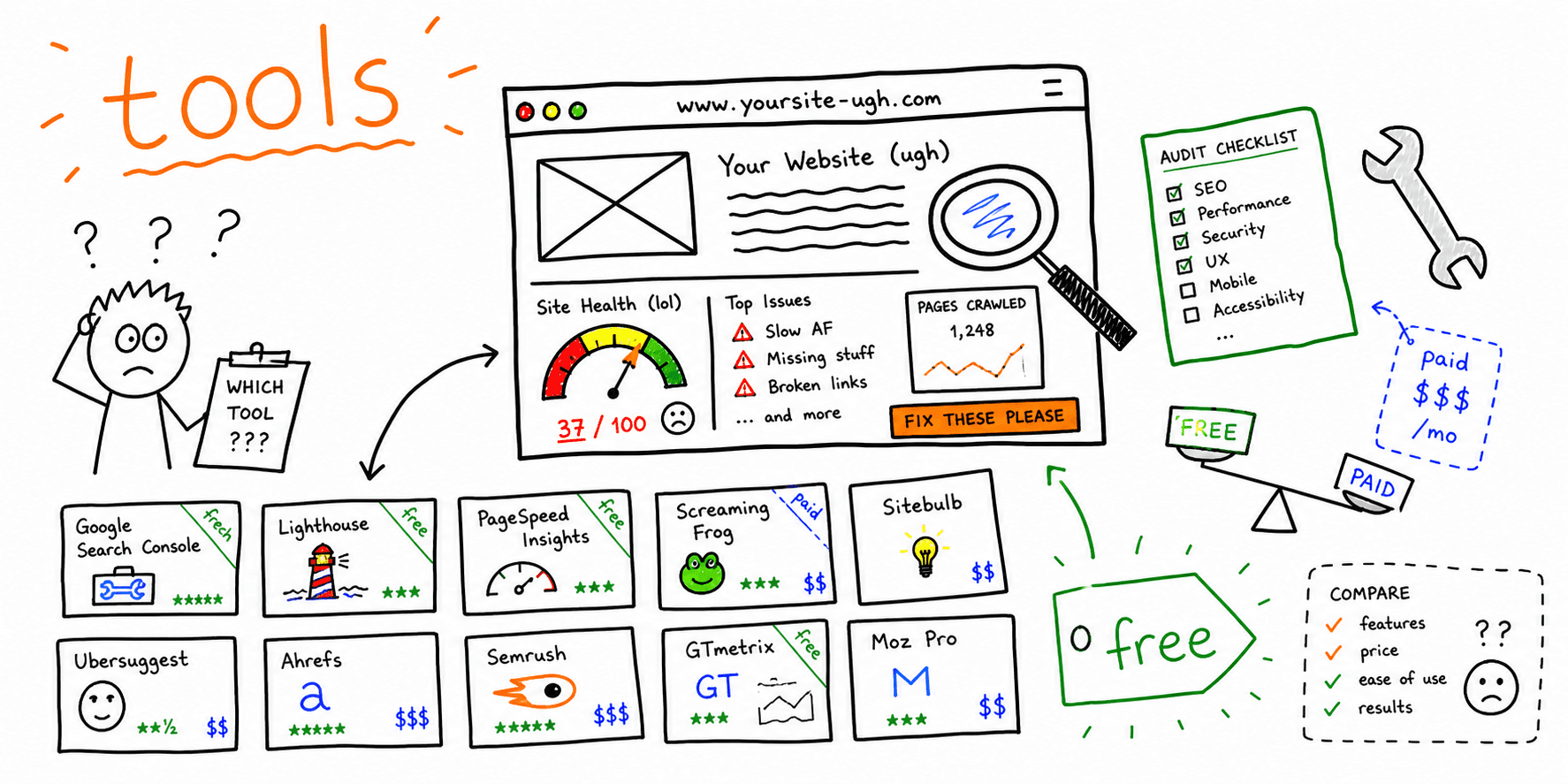
Website Audit Tools: A Comparative Overview
Choosing the best website audit tool depends on your specific needs, budget, and technical expertise. Some tools focus on specific aspects of website performance, while others offer a more comprehensive approach. Understanding these differences is crucial for selecting the right tool.
-
Free Tools: Options like Google's PageSpeed Insights and Google Search Console offer valuable insights into website speed and technical SEO issues. These tools are an excellent starting point for identifying basic problems, particularly for those new to website auditing.
-
Freemium/Paid Tools: Platforms like Semrush, Ahrefs, and Screaming Frog provide more advanced features, such as in-depth site crawls, backlink analysis, and competitor research. These tools offer various pricing tiers, catering to different budgets and project scopes. They empower you to create professional website audit report templates, including white-label options for client presentations.
-
Specialized Tools: Some tools focus on specific areas of website performance. For example, GTmetrix specializes in page speed analysis, while tools like WAVE offer accessibility evaluations. These specialized tools allow deep dives into specific areas needing improvement.
The following table offers a brief comparison of these categories:
| Tool Category | Key Features | Benefits | Ideal For |
|---|---|---|---|
| Free Tools | Basic site speed and SEO analysis | Cost-effective, easy to use | Beginners, small websites |
| Freemium/Paid Tools | Comprehensive site audits, backlink analysis, competitor research | Advanced features, customizable reports | Agencies, businesses with larger websites |
| Specialized Tools | In-depth analysis of specific performance areas | Targeted insights | Addressing specific website issues |
This table helps you choose the tools best suited for your audit projects.
Building Efficient Audit Workflows
Successfully auditing websites isn't just about using individual tools effectively; it's about combining them into efficient workflows. Think of it as an assembly line: each tool contributes to the final website audit report template.
For example, you might start with a site crawl using Screaming Frog to identify technical SEO issues. Then, analyze page speed with Google PageSpeed Insights. Next, review analytics data from Google Analytics to understand user behavior. Finally, compile this information into a comprehensive report using a tool like Semrush or a dedicated reporting platform.
This streamlined approach maximizes insights while minimizing repetitive tasks, allowing you to gather data efficiently. This leaves more time to analyze findings and develop actionable recommendations.
Customizing Reports for Client Needs
Different clients have different priorities. A small business owner might be most concerned with local SEO, while a large e-commerce company focuses on conversion rate optimization. Customizing your website audit report template to address these priorities is essential.
This goes beyond simply presenting data. It means crafting recommendations tailored to each client’s specific needs. For example, prioritize SEO recommendations if a client’s primary goal is increased organic traffic. If improving conversion rates is the main focus, center the report on CRO strategies.
Presenting Data Effectively: Telling the Story
Raw data can be overwhelming. Presenting this data clearly and concisely is crucial for client understanding. Use visuals like charts, graphs, and dashboards to simplify complex information and highlight key takeaways.
For instance, instead of just stating a slow page load time, show a chart illustrating its impact on bounce rate and conversions. This makes the data more tangible and motivates clients to take action. By presenting data visually and building a narrative around your findings, your website audit report template becomes a powerful tool for driving positive change.
Beyond The Report: Turning Audit Insights Into Measurable Results
A website audit report template is a powerful starting point, but the true value lies in transforming its insights into tangible improvements. This requires careful planning, clear communication, and consistent monitoring to ensure long-term success. This section explores how experienced digital consultants maintain momentum throughout the optimization process, from capitalizing on quick wins to measuring the overall impact.
Prioritizing Quick Wins and Long-Term Strategies
A website overhaul, like any project, benefits from a phased approach. Start by tackling quick wins: easily implemented changes with a noticeable impact. Examples include:
- Fixing broken links
- Optimizing images
- Improving meta descriptions
These quick wins demonstrate immediate value and build momentum for more complex tasks.
Concurrently, develop a long-term strategy for addressing larger issues. This might involve a website redesign, content migration, or a comprehensive SEO overhaul. Breaking down these larger projects into smaller, manageable tasks makes the process less overwhelming and allows for continuous progress. This balanced approach ensures both short-term gains and sustainable long-term improvement.
Maintaining Stakeholder Engagement
Keeping stakeholders informed throughout the implementation phase is crucial. Regularly communicate progress, highlighting completed tasks and outlining next steps. Use clear, concise language, avoiding technical jargon. Visual aids, such as dashboards and progress reports, can effectively communicate the impact of the changes. This transparent communication builds trust and reinforces the value of the audit.
Documenting Progress and Measuring Impact
Detailed documentation is essential for tracking progress and demonstrating the effectiveness of implemented changes. Maintain a comprehensive record of all modifications, including dates, descriptions, and individuals responsible. This creates a clear audit trail and facilitates review and analysis.
Measuring the impact of these changes is equally important. Track key performance indicators (KPIs) such as website traffic, bounce rate, conversion rates, and keyword rankings. Compare these metrics before and after implementation to quantify the improvements. This data-driven approach proves the audit's value and justifies ongoing optimization efforts. You might be interested in: How to master website performance metrics.
Establishing Ongoing Monitoring Systems
A website is dynamic and requires continuous monitoring and maintenance. Implement systems for tracking website performance and identifying potential problems before they escalate. This could involve automated website crawls, regular performance testing, and ongoing security scans.
Establish performance benchmarks based on industry standards and competitor analysis. Regularly compare your website's performance against these benchmarks to identify areas for improvement. This proactive approach ensures your website remains competitive and continues to perform optimally.
Developing Maintenance Schedules and Adapting to Change
Develop a regular maintenance schedule for recurring tasks like updating software, reviewing content, and performing security checks. This scheduled maintenance prevents small issues from escalating and ensures smooth website operation. This includes regular reviews of your website audit report template to ensure its continued effectiveness.
The online environment constantly evolves. User expectations, search engine algorithms, and best practices are continually changing. Your website must adapt to remain relevant and successful. Stay informed about industry trends and adjust your strategies accordingly. This adaptability ensures your website continues to meet user needs and performs well.
By focusing on these key areas, you transform a website audit report template from a static document into a dynamic roadmap for continuous improvement. This results in tangible, measurable results, including increased traffic, higher engagement, and improved conversions.
Website audit template FAQ
What is included in a website audit template?
A good website audit template includes scope, page URL, audit category, finding, evidence, impact, priority, recommendation, owner, due date, status, and validation metric. For a complete audit, include technical SEO, on-page SEO, content, UX, accessibility, performance, CRO, and reporting sections.
How often should you run a website audit?
Run a lightweight website audit every month for important revenue pages and a deeper audit every quarter. Also run an audit before a redesign, after a migration, before a major campaign, and after any CMS, navigation, checkout, or template change that could affect rankings or conversions.
What metrics should a website audit template track?
Track indexability, organic clicks, keyword rankings, click-through rate, conversion rate, bounce or engagement rate, Core Web Vitals, form completion, internal 404s, redirect issues, accessibility issues, and priority fix status. The exact metrics should match the site's business goal.
What is the difference between a website audit template and a website audit checklist?
A website audit checklist tells you what to inspect. A website audit template gives you the working structure for logging findings, assigning owners, prioritizing fixes, and validating results. Use the checklist during review and the template to manage the work after issues are found.
What is the difference between a website audit template and a website audit report?
The template is the working file used during the audit. The report is the polished client or stakeholder deliverable created from that working file. The report should summarize the biggest problems, show evidence, explain business impact, and turn the raw audit table into an action plan.
Can I use this template for SEO, UX, and technical audits?
Yes. Use the same master website audit template, then filter or duplicate it by audit type. SEO audits need search intent, metadata, indexability, internal links, and content gaps. UX audits need screenshots, user friction, accessibility, and conversion-path notes. Technical audits need crawl, speed, structured data, status code, and validation evidence.
Ready to generate a client-ready report faster? Try the website audit report generator.