Jera Value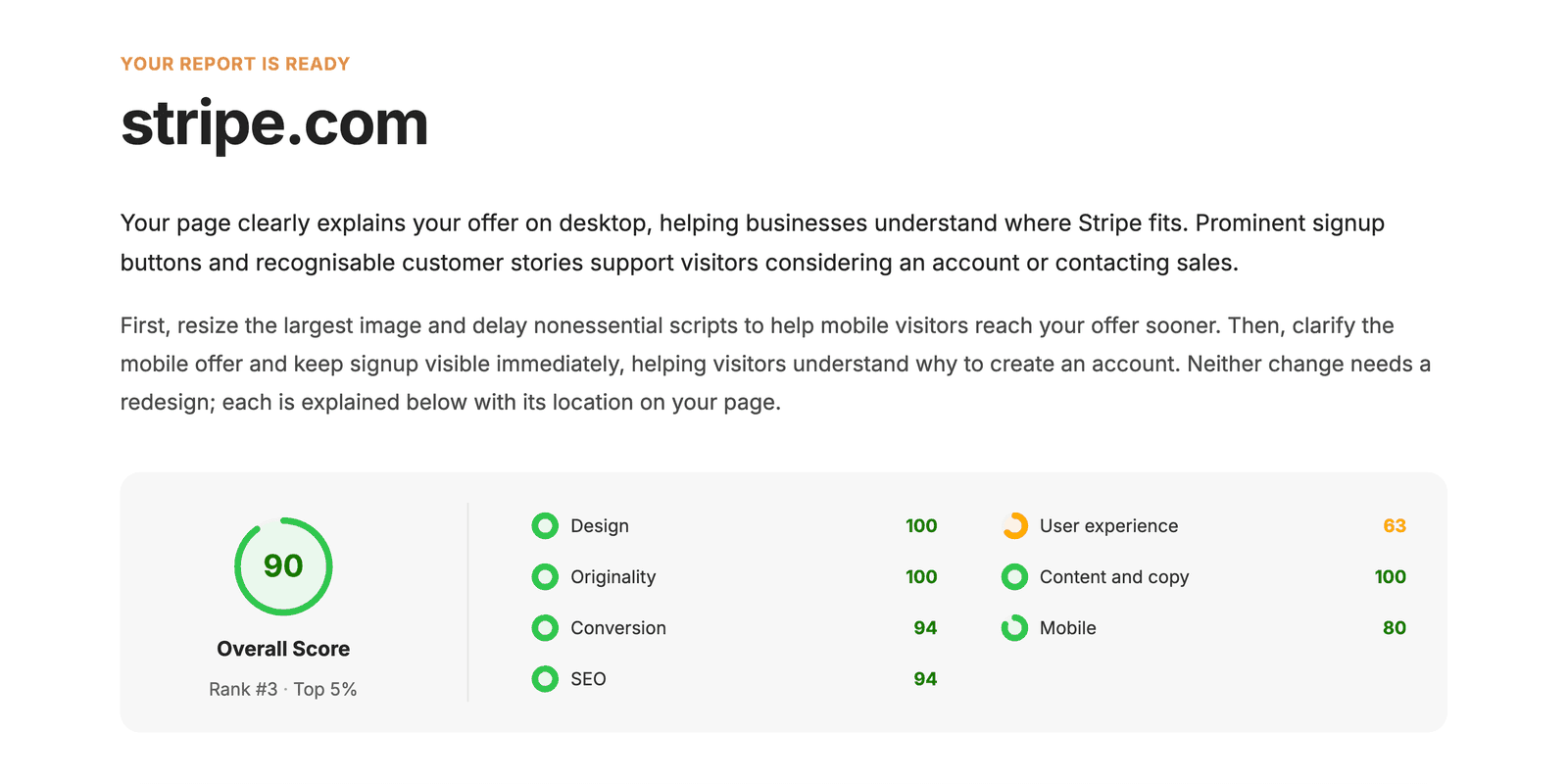

A real website audit report sample with our notes
This sample website audit report is a real Roast My Web report, not a mock-up. Roast My Web audited the public stripe.com homepage on October 14, 2026, and the audit generated a Modern report. We chose a well-known page so that you can check each finding on the live page.
Stripe is not a Roast My Web customer, and Stripe did not request or review this audit. Roast My Web has no affiliation with Stripe, and Stripe does not endorse Roast My Web. Stripe, Hertz, Le Monde and the other names and logos in the screenshots belong to their owners.
On October 17, 2026, we checked the findings on the live page again. Below are three findings from the Stripe report, each with the proof, our priority and the action that we would request. Then we show one finding that we would edit before we send the report to a client, and what the client receives.
Open the full Stripe report to see it as Roast My Web generated it. The public report does not include the edit that we suggest below.
The Stripe audit covered one public page, and the table below shows what it did and did not cover.
| What the audit covered | What the audit did not cover |
|---|---|
| One public URL: the stripe.com homepage | Other pages, logged-in areas or a crawl of the full site |
| Screenshots on desktop (1920 × 1080) and phone (360 × 800) | Analytics, session recordings or user interviews |
| Design, user experience, originality, content and copy, conversion and mobile | Accessibility or legal compliance certification |
| On-page SEO signals and one simulated mobile speed test | Security tests or rank tracking |
An overview of the report
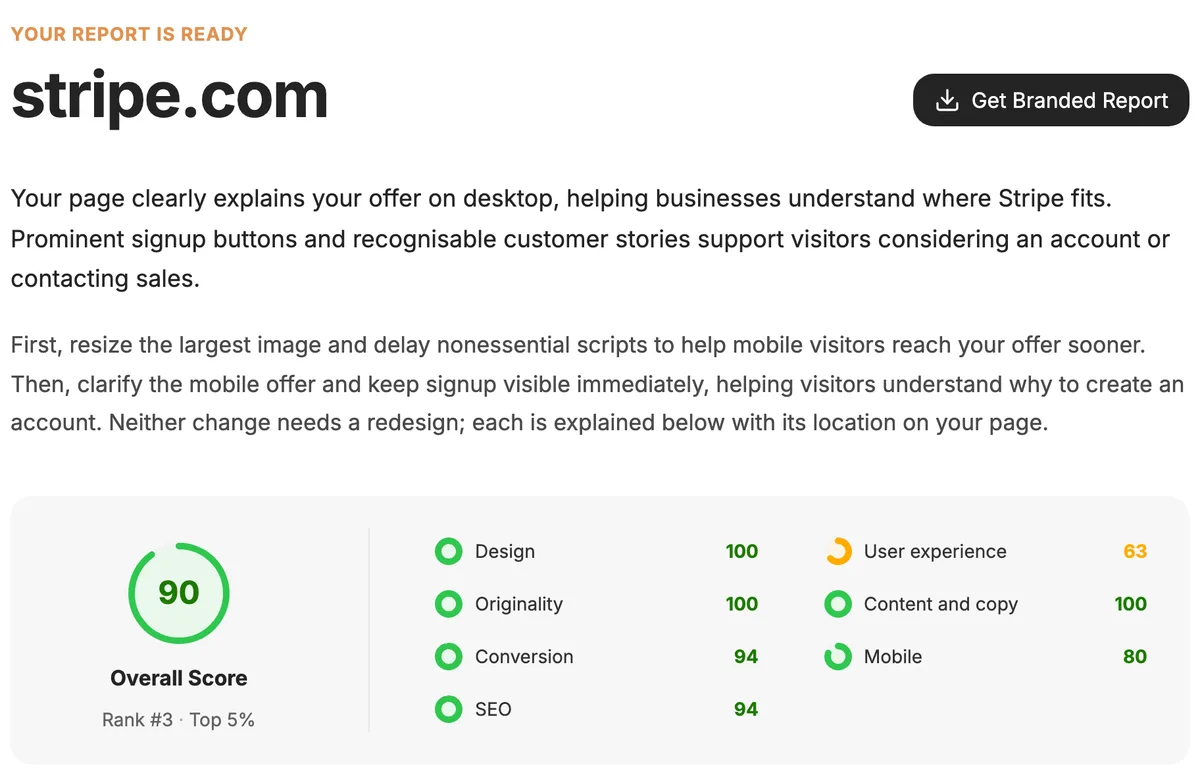
The report starts with a short summary for the page owner, which first says what already works and then gives the first changes to make. Below it, the score panel of the Stripe report shows an overall score of 90 and a score for each of seven categories. Each category score links to the findings for that category lower in the report.
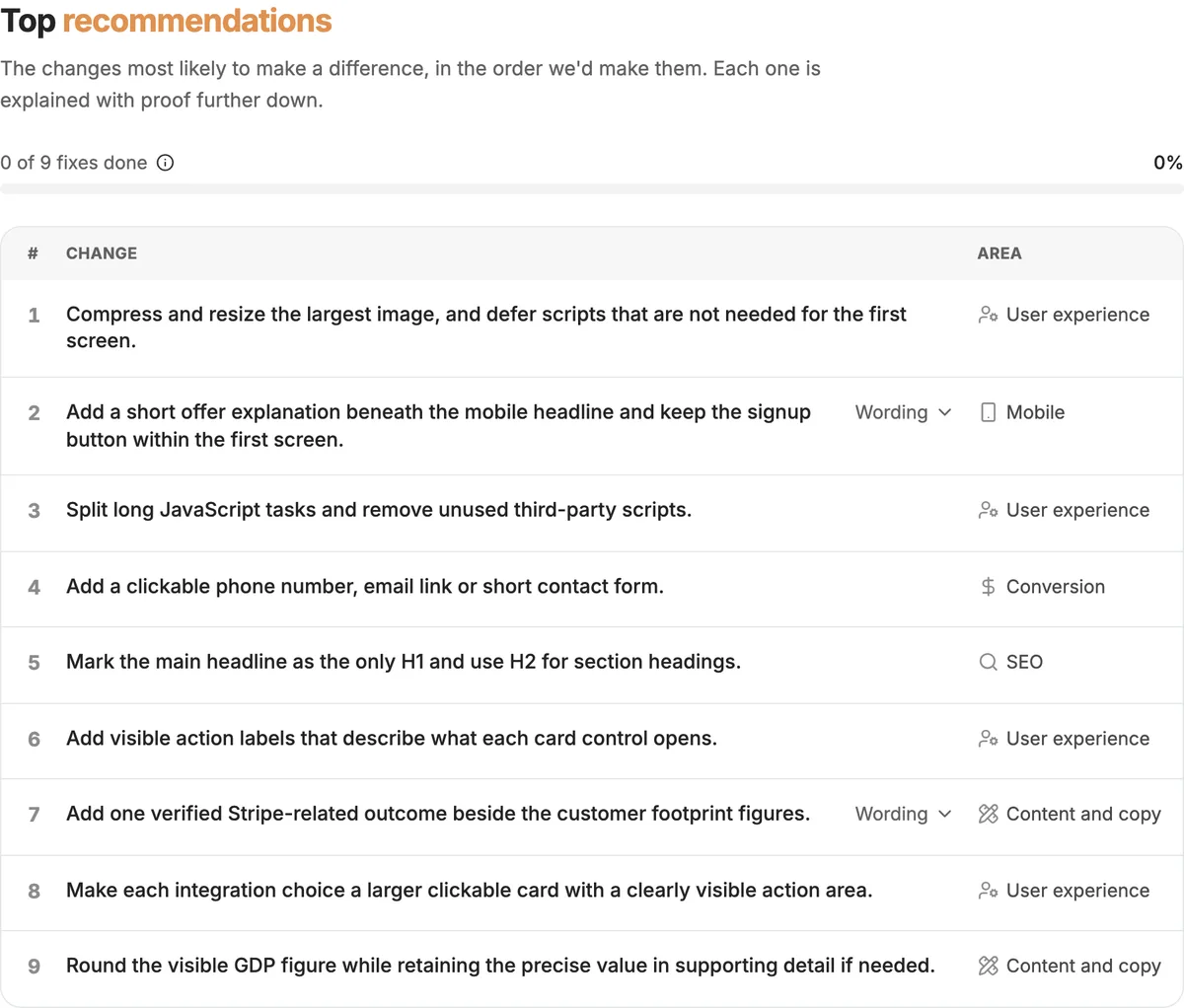
Next, the Top recommendations table in the Stripe report lists nine changes in the order that the report recommends. Each row comes from a finding with proof lower in the report. In the Roast My Web app, you can mark a recommendation as done when the change is on the live page. A shared web report has its own check boxes, and the reader's browser saves the marks, so your client can track progress too.
Recommendations 1 and 3 come from one simulated mobile speed test of the stripe.com homepage. In that test, the main content appeared after 4.0 seconds (Largest Contentful Paint), and scripts blocked the page for 649 milliseconds (Total Blocking Time). Speed numbers change from one test to the next, and we could not repeat this test on October 17, 2026. Run a new speed test of the page before you send these numbers to a client.
Three findings, checked on the live page
Each finding in a Modern report shows a priority label, what the report found, what to change and the proof. The label is Do first, Plan it or Nice to have, and the proof is a highlighted screenshot, a quote or a measured value. Our notes below add the check that we made on the live page and the next step that we would put in the client's plan.
1. The first phone screen does not explain the product (Do first)
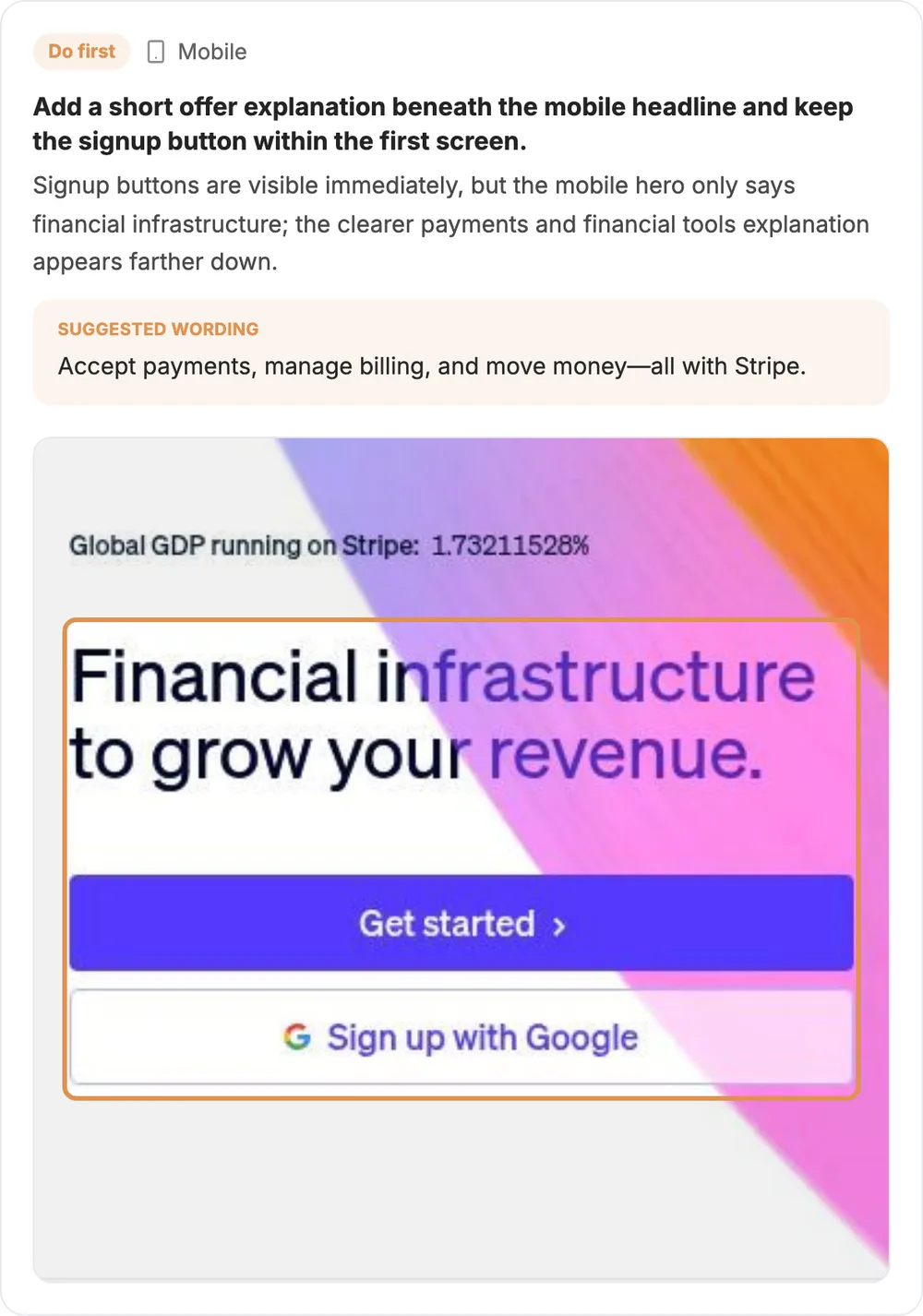
- What the report found: On phones, the stripe.com homepage shows the signup buttons on the first screen, but the hero only says "Financial infrastructure to grow your revenue." The sentence that explains payments and financial tools is lower on the page.
- Proof: the phone screenshot from October 14, with the headline and the buttons highlighted.
- Our check, October 17: At 360 × 800 pixels, the first screen still shows the GDP counter, the headline and two buttons: Get started and Sign up with Google. On desktop, a sentence under the headline explains the product, but the first phone screen does not show that sentence, and the next section starts only at the bottom of that screen.
- Priority: Do first, because every phone visitor sees this screen and the change is one line of text.
- Action: Add one line under the phone headline. The report suggests a line that names three things customers can do with Stripe: accept payments, manage billing and move money. Give this line to the client's copywriter as a draft, because the copywriter knows which product names to put first.
- Re-test: After the release, check the first screen at a width of 360 pixels.
2. The Hertz customer story shows the customer's size, not a result (Do first)
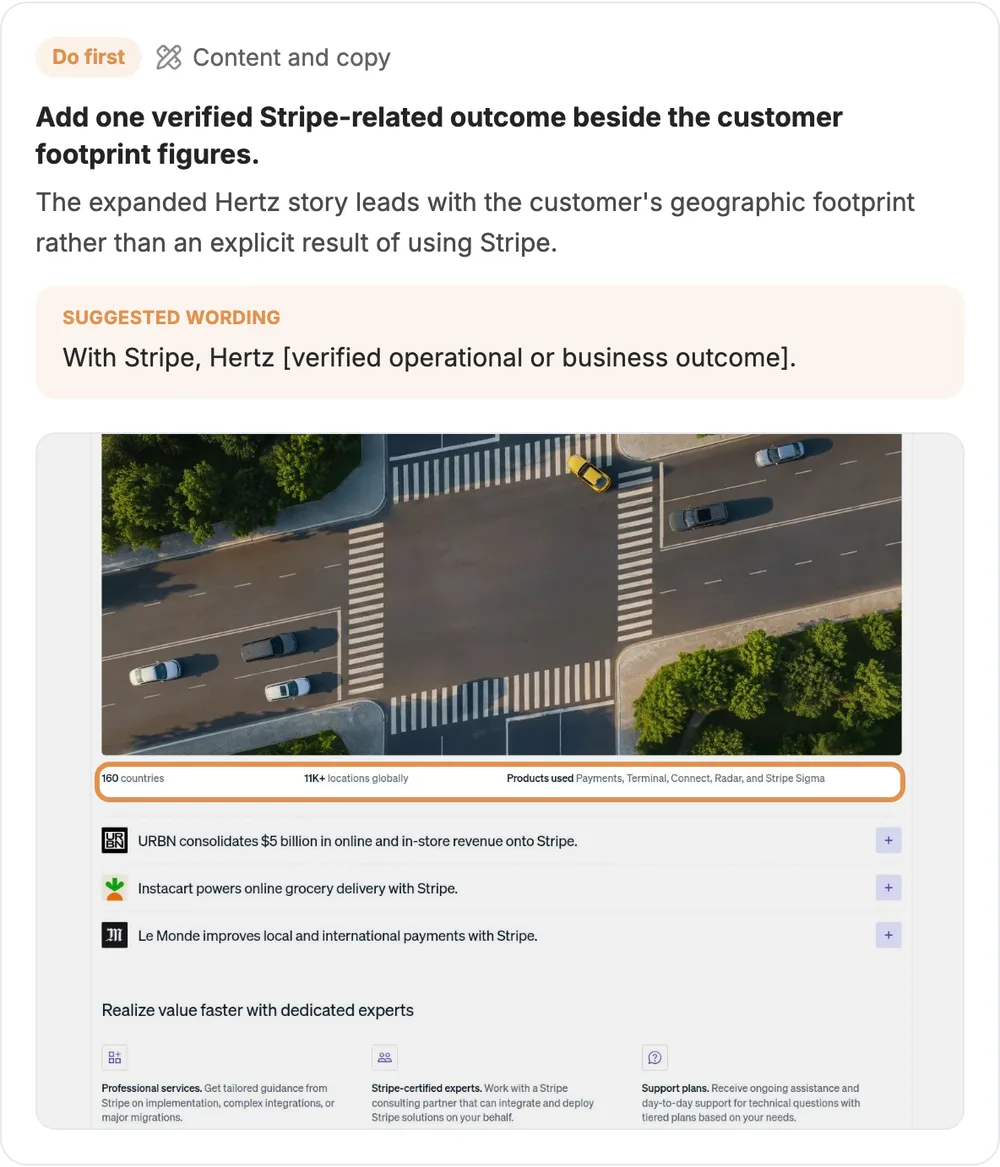
- What the report found: On the stripe.com homepage, the expanded Hertz customer story starts with the size of the customer, not with a result of using Stripe.
- Proof: the desktop screenshot, with the row "160 countries · 11K+ locations globally · Products used" highlighted.
- Our check, October 17: The Hertz customer story still shows that row. The Le Monde customer story in the same list starts with results instead, such as "Less than 3 months to implement and go live."
- Priority: Do first, as in the report. The change needs a verified result from the case study, and a page audit cannot supply that result.
- Action: Ask the client for one Hertz result that has a source. The report suggests the wording "With Stripe, Hertz [verified operational or business outcome]." The square brackets hold a placeholder for that result, because suggested wording in a Roast My Web report must not invent reviews, names, ratings or numbers.
- Owner: the person who maintains the case studies.
3. The GDP counter shows eight decimal places (Nice to have)
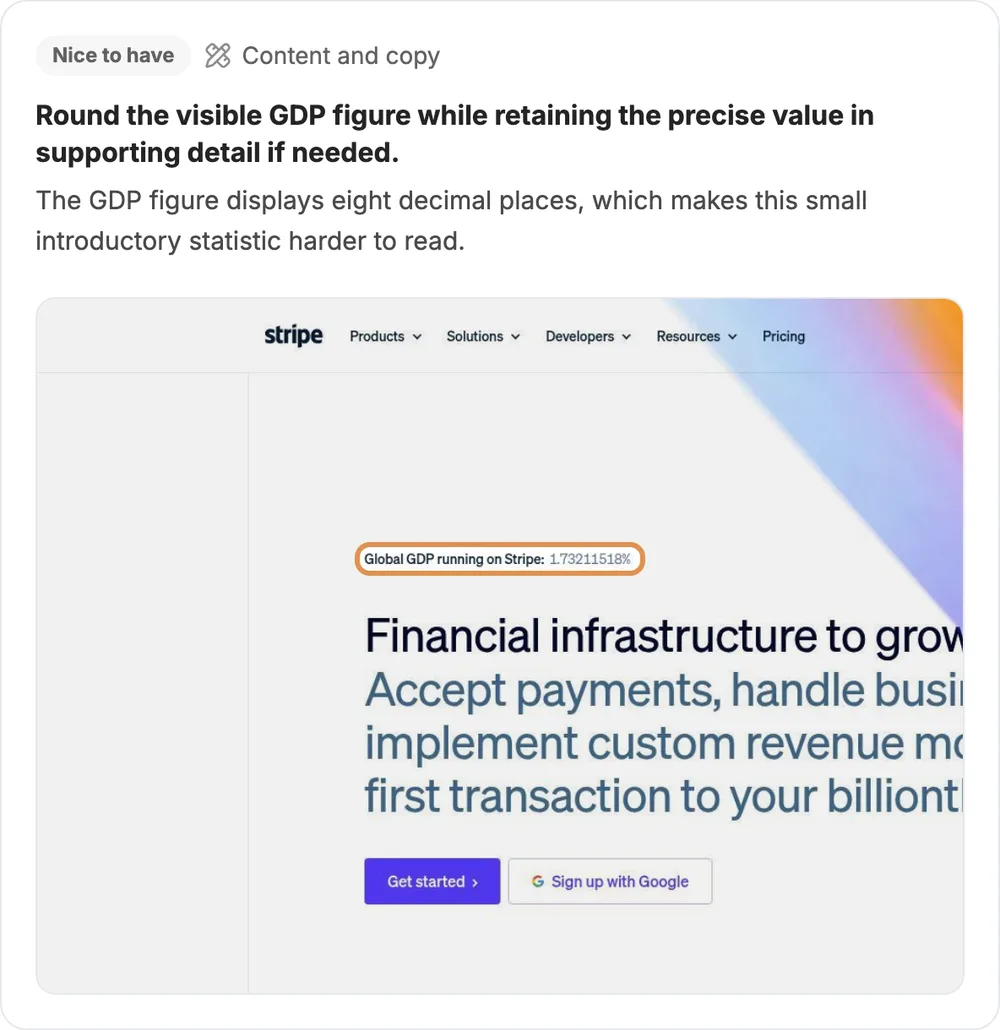
- What the report found: On the stripe.com homepage, the "Global GDP running on Stripe" number shows eight decimal places, which make this small number at the top of the page harder to read.
- Proof: the desktop screenshot, with 1.73211518% highlighted.
- Our check, October 17: The live page showed 1.73377332%. The number changes between visits, so the eight decimal places look like part of an intentional counter.
- Priority: Nice to have. Keep this finding in the report, but do not start the client conversation with it.
- Action: Tell the client that this change is optional, and round the number on the page only if the client agrees.
Together, the three findings show the range of findings that a client should see. The phone headline change affects every phone visitor, the Hertz customer story change needs information that only the client has, and the GDP counter is a visual detail with a low priority.
The edit we would make before we send the report
The contact finding in the Stripe report has a correct measurement but the wrong advice for this business.
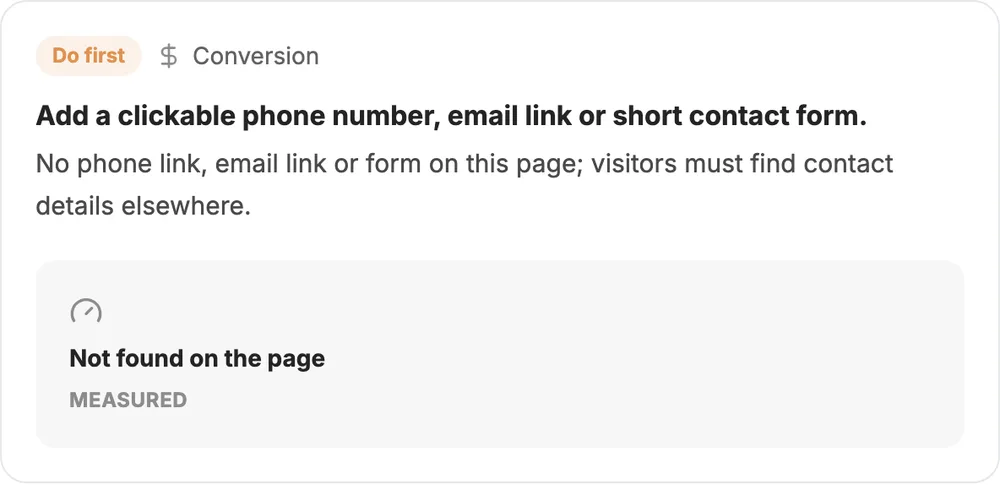
The Stripe report found no phone link, email link or form on the stripe.com homepage, and on October 17, 2026, we confirmed that the live page still has none. But the stripe.com homepage puts self-serve signup first. Stripe sends sales enquiries to its Contact sales page, and the desktop header, a lower part of the homepage and the phone menu all link to that page. So a phone number on the homepage is not the first change that we would request.
This is the edit that we would make in the report editor before we send the report:
| Field | As generated | After our edit |
|---|---|---|
| Priority | Do first | Nice to have |
| What we saw | No phone link, email link or form on this page; visitors must find contact details elsewhere. | This page has no phone link, email link or form, but sales enquiries go to the Contact sales page. The header, a lower part of the page and the phone menu link to it. |
| What to change | Add a clickable phone number, email link or short contact form. | A new contact form is not necessary. If enterprise sales enquiries from phones are important, test a Contact sales link outside the phone menu. |
We did not apply this edit to the Stripe report, so that you can compare it with the generated finding. In the Roast My Web app, the pencil icon on each finding opens the report editor, where you can change "What to change", "Priority", "What we saw", "Suggested wording" and the proof, or delete the finding. The shared web report and the PDF then show your edited version.
A Roast My Web report is a first draft of findings, with proof, for one public page. Your judgment about the client's business is still the part that the client pays for.
What the client receives
You can send a Roast My Web report to a client as a shared web report or as a PDF. If you turn on the neutral address in Branded Report Options, new shared report links open on audits.page, and the page there shows no Roast My Web branding. The PDF starts with the cover, summary, scores and screenshots, then shows Top recommendations, SEO and speed, and the findings with their proof.
Both formats can show your branding: logo, company name, website, brand color, report title and subtitle. You can also add your own call-to-action button, such as "Book a call", which the shared web report shows on its cover and in a short closing section. The PDF does not include this button.
Before you send a report, do these four checks:
- Check each Do first finding again on the live page, as we did above.
- Edit or delete the findings that do not fit the client's business.
- Replace each placeholder in the suggested wording with a fact from the client that has a source.
- Tell the client the scope: one page, audited on one date, without their analytics.
If you audit the same page again later, your app view shows which earlier findings are fixed, better or still open, and which findings are new. Only you see this comparison, because the shared web report and the PDF do not show it.
See how client reporting works, with branding, the neutral address and the report editor.
Blank template or generated report?
A blank template and a generated report do different jobs, and you can use both.
| Option | Use it when | What you get |
|---|---|---|
| Free audit report template | You collect the proof yourself, audit more than one page or need a fixed structure for the client report | A blank PDF, Excel workbook, Markdown outline and CSV tracker. You do not need to give an email address. |
| Roast My Web report | You want a first draft of findings with proof for one public page in a few minutes | A Modern or Classic report that you can edit and brand, shared as a link or a PDF |
Each Roast My Web report covers one public page and uses one credit. Roast My Web sells credits in one-time packs, not by subscription: 6 credits for $4, 24 credits for $12 and 1,200 credits for $299.
You can ask for a refund of your first Roast My Web purchase within 30 days, before you use a material part of the credits. The terms of service give the full conditions, and the store page shows the current prices.
If you write a report by hand, the website audit report template guide explains each section and the website audit checklist lists what to inspect. For other types of audit report, such as SEO, performance or content, see the website audit report examples.
Limits of this sample
This sample report covers one page, the stripe.com homepage, on one date: October 14, 2026. Stripe can change its homepage at any time, so some findings may no longer match the page when you read this post. The findings describe what is on the page. Without analytics or user research, they are reasoned recommendations, not results from measured conversion data. The speed numbers come from one simulated mobile speed test, and this sample is not an accessibility, security or legal compliance audit.
Open the full Stripe report for all nine recommendations, the SEO and speed section, and the desktop and phone screenshots. To send a report like this with your own brand, see the client reporting workflow.