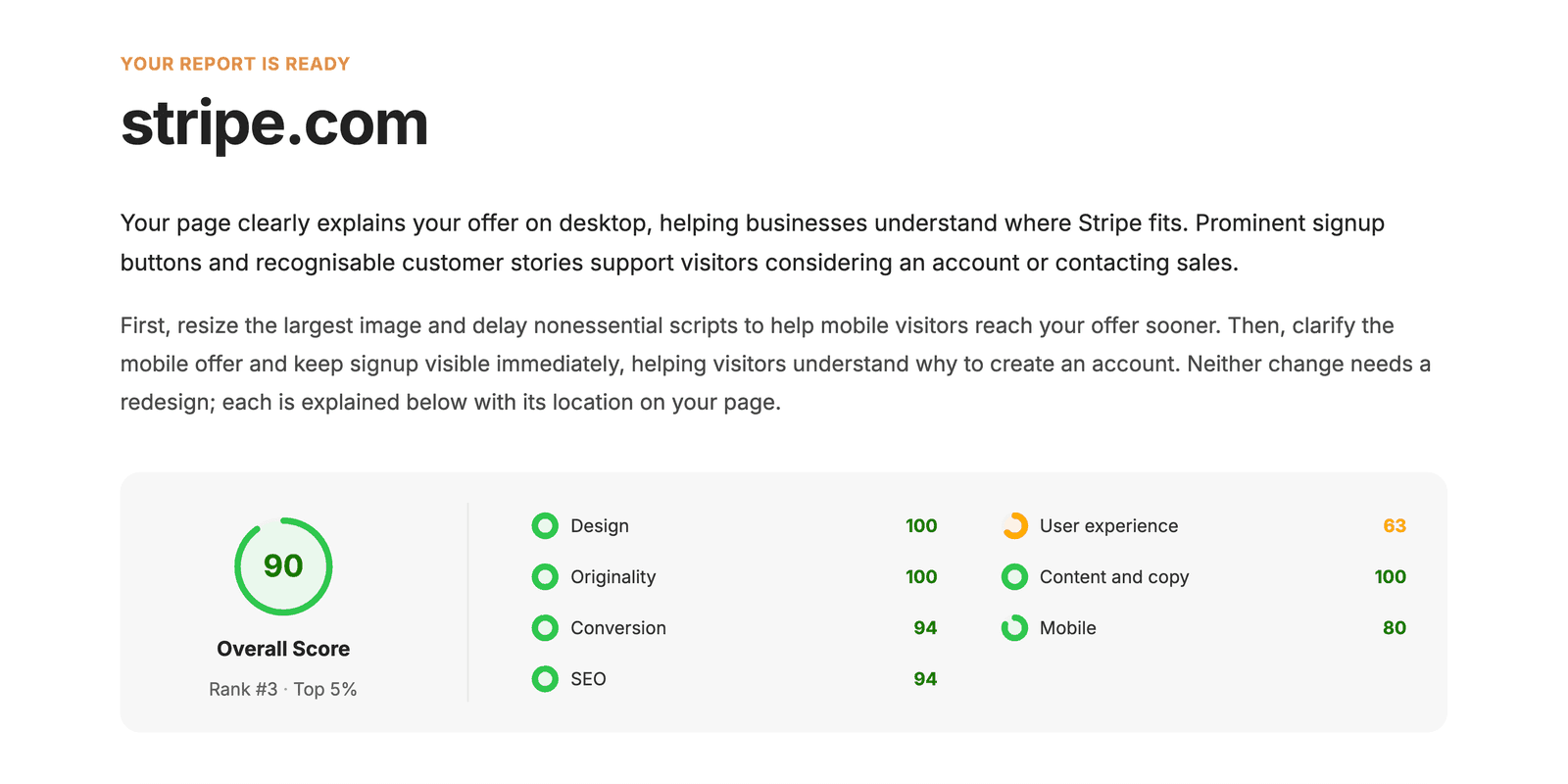
Jera Value
A 92 out of 100 can still be bad news
A big green score feels reassuring. It can also be useless.
Every website grader has its own definition of a good page. PageSpeed Insights cares about loading performance. A crawler cares about status codes, canonicals, internal links, and indexability. A page audit can review copy, layout, UX, and conversion friction. None of those scores cancels out the others.
That is how a site ends up with a fast homepage that nobody understands, or persuasive copy on a page Google cannot index.
Ignore the number for a moment. Ask what the tool inspected, what it could not see, and whether the findings help you make a decision. That is the real test.
Website grader comparison
| Tool | Good at | Blind spot |
|---|---|---|
| Roast My Web | Reviewing one public page across UX, copy, on-page SEO, mobile layout, and conversion | It does not crawl the full site or read private analytics |
| HubSpot Website Grader | Giving a quick, easy-to-read score | The broad summary has limited diagnostic depth |
| Google PageSpeed Insights | Measuring lab performance and showing available real-user data | It does not judge the offer, navigation, or conversion path |
| Semrush Site Audit | Monitoring technical site health and grouping crawl issues by severity | One page can disappear inside a large volume of crawl data |
| Ahrefs Site Audit | Checking more than 170 technical and on-page SEO issues | It cannot tell whether a customer understands or trusts the page |
| GTmetrix | Explaining slow loads through waterfalls and request-level diagnostics | It focuses on performance |
| Moz Pro Site Crawl | Tracking crawl and on-page problems inside the Moz workflow | It is more platform than quick grader |
| Screaming Frog SEO Spider | Exposing status codes, redirects, metadata, canonicals, links, directives, and raw crawl data | It expects you to interpret the results |
For a wider survey, read the full comparison of website audit tools. This page is about graders, including the tools that hand you a score and the crawlers that explain why a site is in trouble.
Here is the blunt recommendation
Want a quick free website grader? Start with HubSpot Website Grader.
Trying to fix a slow page? Use PageSpeed Insights first. Open GTmetrix when you need to inspect the loading sequence.
Need a technical SEO crawl? Screaming Frog gives you the most control. Semrush, Ahrefs, and Moz make more sense when you already use the rest of their platform.
Need to review one important page and turn the findings into something editable or shareable? That is the job Roast My Web is built for.
You may need two tools. A crawler and a page-level review do different work. Buying three crawlers usually gives you three versions of the same backlog.
For one-page decisions
Roast My Web
Roast My Web looks at one rendered public page. It reviews the visible copy and layout, on-page SEO signals, mobile presentation, conversion friction, and the performance data available for that URL.
The useful part is what happens after the score. You can edit the report, remove a bad finding, rewrite the language, add notes, share a web version, or export a PDF. A score by itself is a dead end. A report can become a plan.
There are hard limits. Roast My Web cannot crawl every page on the domain, open a private analytics account, measure backlinks, track rankings, or inspect a login wall. It is a first pass on a public page. The audit scope spells this out before you buy anything.
Use it for a homepage, landing page, pricing page, or product page where the words and design matter as much as the technical setup.
HubSpot Website Grader
HubSpot Website Grader is fast and easy to explain. Enter a URL, get a score, and see a broad breakdown of performance, SEO, mobile, and security checks.
That simplicity is the attraction. It is also the limit. The result works well as a temperature check, especially for somebody who does not want a technical crawl. It will not diagnose a large site or tell you whether the offer makes sense.
Use the score to start a conversation. Do not use it as proof that the site ranks, converts, or works well across every page.
When speed is the actual problem
Google PageSpeed Insights
PageSpeed Insights gives you two different views of speed. Lighthouse runs a controlled lab test. Chrome User Experience Report data appears when Google has enough eligible real visits for the URL or origin.
People mix those up constantly. A clean lab run does not erase a month of poor user data. One ugly lab run does not mean every visitor had the same experience.
Use PageSpeed Insights to find slow resources, blocking work, image problems, layout shifts, and long tasks. It is the obvious first stop for Core Web Vitals. It has nothing useful to say about whether the headline is clear or the call to action deserves a click.
GTmetrix
GTmetrix earns its place because of the waterfall. A performance score says the page is slow. The waterfall shows whether the delay came from the server, a huge image, a font, a third-party script, or JavaScript that kept the browser busy.
That makes GTmetrix more useful once the easy fixes are gone. It is a diagnostic tool for loading behavior, not a general verdict on the website.
Some test locations, monitoring options, and report functions depend on the current account or plan. Check the product page if those details affect your workflow.
When you need to crawl the whole site
Semrush Site Audit
Semrush Site Audit crawls a domain, groups technical issues by severity, and tracks site health over time. It is good at finding patterns that a one-page grader cannot see, such as broken internal links or repeated template problems.
The danger is not a lack of data. It is too much data. A long warning list makes minor cleanup look as urgent as a blocked page. Start with problems that stop crawling, indexing, rendering, or a valuable user journey. Leave cosmetic warnings until they can beat something more important on the list.
Ahrefs Site Audit
Ahrefs Site Audit checks more than 170 technical and on-page SEO issues. It sorts them into errors, warnings, and notices, then tracks the health score as the site changes.
Ahrefs is strong on crawl history and page-level detail. It can find redirect problems, duplicates, structured-data errors, internal-link gaps, and indexability mistakes. It cannot decide whether a visitor believes the claim at the top of the page. No crawler can.
Moz Pro Site Crawl
Moz Pro Site Crawl is the sensible option when your search work already lives in Moz. It keeps crawl and on-page problems beside the rest of that workflow.
If all you want is a quick public score, opening a larger SEO platform is overkill. If your team already uses Moz and wants recurring site-health checks in the same place, the fit is clearer.
Screaming Frog SEO Spider
Screaming Frog SEO Spider does not pretend to be a friendly grader. It crawls the site and gives you the evidence.
You get status codes, redirects, canonicals, directives, headings, metadata, links, images, and exports you can pull apart yourself. The free version crawls up to 500 URLs, enough for many small sites and targeted checks.
There is a learning curve. That is the price of control. If you need one tidy score, pick another tool. If you need to prove exactly where a redirect chain begins or which pages link to a broken URL, use Screaming Frog.
Why two graders disagree
The obvious reason is weighting. One tool may care mostly about speed. Another may spread its score across SEO, mobile, and security. Roast My Web adds visible UX and conversion questions. Comparing the totals is like comparing a credit score with a fitness score because both use three digits.
The less obvious reason is that the tools may not have seen the same page. Cookie banners, redirects, bot protection, regional content, login walls, and JavaScript rendering can all change the result. Check the final URL and any screenshot before trusting the grade.
Then there is false precision. Moving from 82 to 86 feels like progress. Maybe it is. Maybe the tool changed its test conditions, or you removed something useful to please the scoring model. Keep the first result as a baseline, but judge the fix against the page's real job.
A grading routine that will not eat your afternoon
- Pick the public page that matters most. Save the score, screenshot, and top findings.
- Run PageSpeed Insights. Keep lab and real-user data separate.
- Use a crawler only if the problem could affect more than one URL.
- Check the proposed fix against Search Console, analytics, customer evidence, or the page's conversion goal.
- Change one issue or one closely related group. Run the same checks again.
Do not dump every warning into a 60-row backlog. Fix the problem most likely to block the page's job, then see whether the evidence improves.
Three common questions
Is a free website grader enough?
It can be. HubSpot and PageSpeed Insights cover useful first checks, and Screaming Frog offers a 500-URL free crawl. Free stops being enough when the tool does not inspect the problem you care about or the output takes longer to interpret than the work is worth.
Is a website grader the same as an SEO audit?
No. An SEO website grader usually summarizes a fixed set of automated checks. A proper SEO audit may also need Search Console, indexing history, templates, site architecture, backlinks, competitors, and manual investigation.
What counts as a good website grade?
There is no shared threshold. Use the first result as a baseline in the same tool. Fix something that matters, rerun the page under similar conditions, and check the business or user outcome as well as the score.
If you need a repeatable process, use the website audit checklist. When the findings need to become a deliverable, download the website audit report template. For crawl and indexation work, start with the technical SEO audit guide.