Jera Value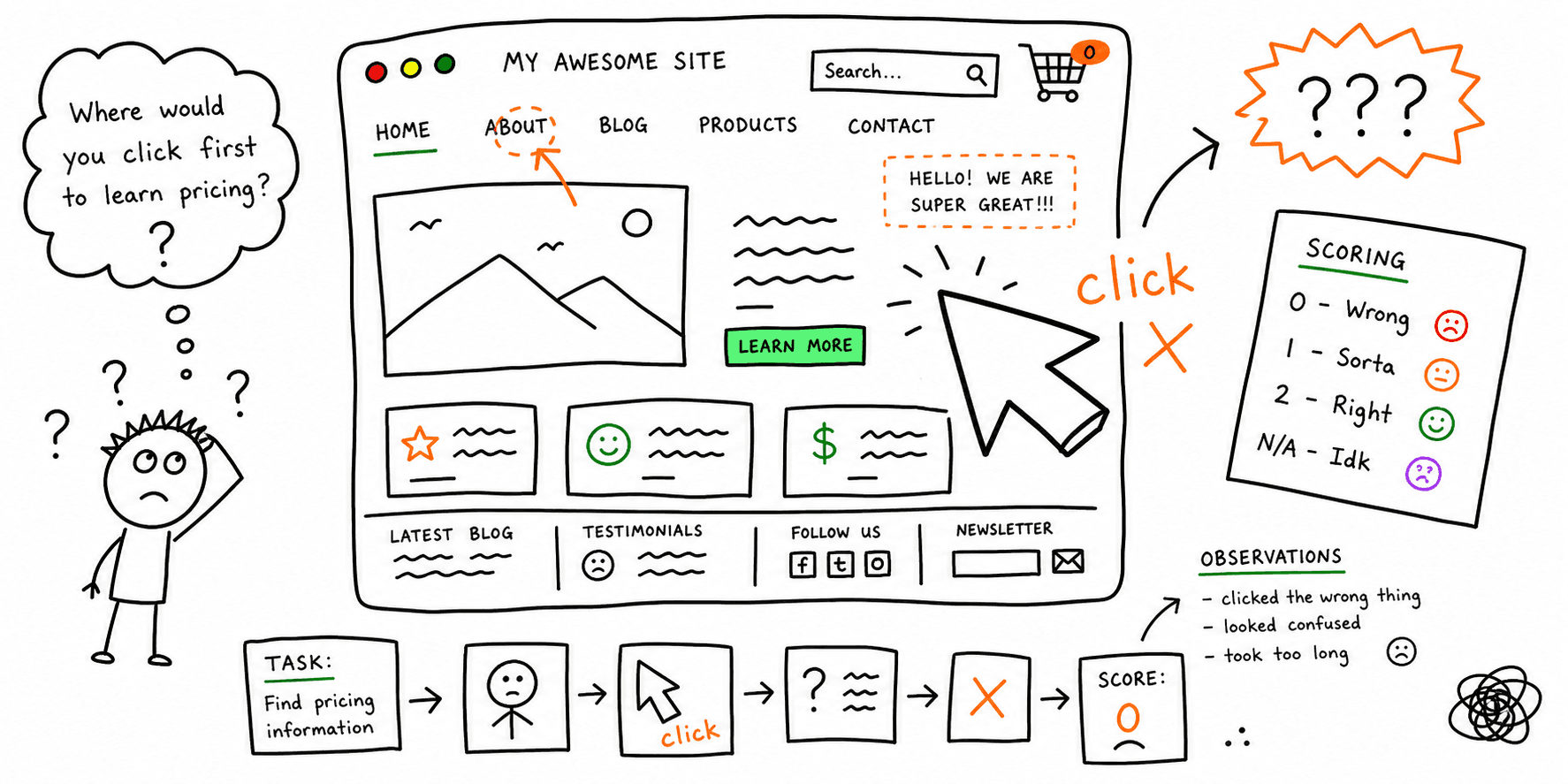

A first click test checks whether users choose the right first step when trying to complete a task. If the first click is wrong, the rest of the journey usually gets slower, noisier, and less successful.
This guide gives you a practical first click test template you can run in one session.
Use it with:
- Tree testing template
- Card sorting template
- Usability testing template
- How to conduct usability testing
When to Use First Click Testing
Run first click testing when you need to validate:
- Homepage or landing-page navigation paths
- Menu labels before a redesign
- Pricing, signup, or checkout entry points
- New information architecture after a content migration
If your issue is broad navigation structure, start with tree testing. If your issue is full task completion, run usability testing after this step.
First Click Test vs Tree Testing vs Usability Testing
| Method | Best for | Output |
|---|---|---|
| First click test | Validating the first decision point on a page/prototype | First-click accuracy, misclick clusters |
| Tree testing | Validating label/findability in a text-only hierarchy | Findability and path clarity |
| Usability testing | Diagnosing full-flow friction | Behavior, quotes, blockers, fix priority |
Use this sequence for most teams:
- Card sort to define grouping logic.
- Tree test to validate navigation labels.
- First click test on real page layouts.
- Full usability test on critical journeys.
First Click Test Template (Copy/Paste)
1) Research setup
| Field | What to define |
|---|---|
| Goal | What decision this test should unblock |
| Target page/screen | URL or prototype frame |
| Audience | Participant segment and recruiting rule |
| Sample size | Number of participants per segment |
| Device scope | Desktop, mobile, or both |
| Success threshold | Example: 80%+ correct first clicks |
2) Task list template
| Task ID | Scenario prompt | Correct first-click area | Wrong-click risks to monitor |
|---|---|---|---|
| T1 | |||
| T2 | |||
| T3 |
3) Results capture sheet
| Participant | Task | First click target | Correct (Y/N) | Time to first click (sec) | Confidence (1-5) | Notes |
|---|---|---|---|---|---|---|
Use this sheet alongside your website usability checklist so navigation issues and usability issues are triaged in one place.
First Click Test Questions You Can Use
These prompts are designed to avoid leading users toward specific labels:
- "You need to compare plans for a 20-person team. Where would you click first?"
- "You want to talk to sales before signing up. What would you click first?"
- "You need integration details for Salesforce. Where do you start?"
- "You need to change billing details. Where would you click first?"
- "You want to read case studies in your industry. What would you click first?"
- "You need accessibility information before purchase. What would you click first?"
Keep prompts goal-based and avoid naming the correct menu item.
Scoring Model for First Click Testing
Track these metrics:
- First-click success rate: correct first clicks / total attempts
- Misclick concentration: percentage of users clicking the most common wrong target
- Time to first click: latency to first decision
- Confidence score: post-task confidence from 1-5
Quick interpretation guide:
- 80-100% success: likely clear path
- 60-79% success: moderate friction, refine labels/placement
- <60% success: high-risk confusion, redesign entry points before launch
After scoring, validate fixes with website usability test and website UX audit.
First Click Test Example (Filled)
Goal: Improve first-click accuracy on a B2B SaaS pricing page.
Task prompt: "You need to see if annual billing has a discount. Where would you click first?"
Expected first click: Pricing in primary nav.
| Participants | Correct first clicks | Success rate | Most common wrong click | Confidence avg |
|---|---|---|---|---|
| 24 | 15 | 62.5% | Features |
2.9/5 |
Action taken:
- Added "Annual pricing" anchor in top nav.
- Added a billing toggle above fold on pricing.
- Re-tested with the same task and participant criteria.
30-Minute First Click Testing Workflow
- Select 3 to 5 high-value tasks tied to conversion paths.
- Prepare page/prototype states (desktop + mobile if relevant).
- Run the test with a defined participant segment.
- Score first-click accuracy and misclick clusters.
- Ship label/placement fixes.
- Re-test only modified tasks to confirm lift.
If you are redesigning structure and visuals at the same time, pair this with website wireframe template, website navigation best practices, and landing page analyzer.
Choosing First Click Testing Tools
If you are comparing first click testing tools, prioritize:
- Click-map export quality
- Segment filtering (new vs returning users)
- Mobile/desktop parity
- Task-level reporting for stakeholders
Then route major findings into your website checker and website quality check process so fixes are shipped, not just documented.
Common Mistakes to Avoid
- Using prompts that include the exact menu label
- Mixing mobile and desktop results without segmentation
- Looking only at success rate and ignoring wrong-click clusters
- Testing too many tasks in one session
- Skipping re-test after navigation changes