Jera Value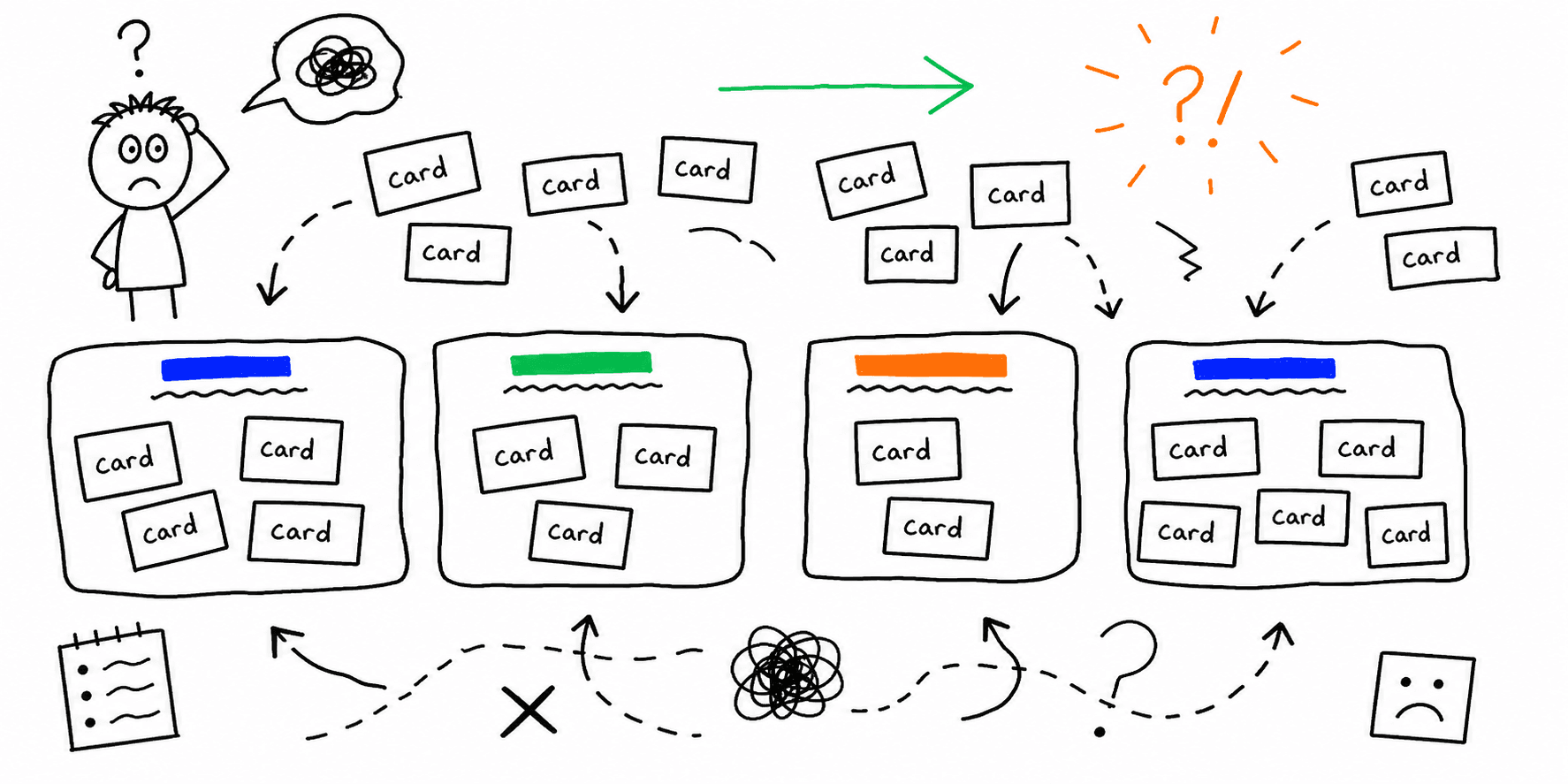

Card sorting reveals how users group information so you can label navigation with confidence. This template keeps the study focused and makes results easier to interpret.
What you'll get:
- A copy/paste card sorting template
- Instructions for open, closed, and hybrid sorts
- A simple analysis checklist
Use the sections below as building blocks; keep what you need and delete the rest.
If you are reorganizing navigation, pair this with information architecture principles.
References for this guide are listed at the end.
What is card sorting?
Card sorting is a research method where participants group labeled cards into categories that make sense to them. It reveals how users mentally organize content and helps improve information architecture.
When to use card sorting
Use card sorting when you need to:
- Organize content for a new site or product
- Improve confusing navigation labels
- Understand how different user groups categorize information
Types of card sorting
Nielsen Norman Group and Miro describe three common formats:
- Open card sort: users create their own categories
- Closed card sort: users sort into predefined categories
- Hybrid card sort: a mix of predefined and user-created categories
Card sorting template (copy/paste)
1. Research goals
- What IA decision will this inform?
- What content or navigation is in scope?
- What user segment are we targeting?
2. Cards to sort
- Card list (30 to 50 items is a common range)
- Short, clear labels
- Notes for ambiguous items
3. Sort format
- Open, closed, or hybrid
- Moderated or unmoderated
- In-person or remote
4. Participant plan
- Target users:
- Recruitment method:
- Sample size:
Nielsen Norman Group notes at least 15 participants for qualitative insights and 30 to 50 for quantitative patterns.
5. Session instructions
Copy and edit this for your study:
Thank you for participating. You will group cards into categories that make sense to you. There is no right or wrong answer. You can move cards at any time. If a card is unclear, leave it aside rather than forcing a group.
Open card sort worksheet
| Card | Group name (user) | Notes |
|---|---|---|
Closed card sort worksheet
| Card | Category options | Selected category | Notes |
|---|---|---|---|
Analysis checklist
- Review common groupings
- Identify cards that frequently split
- Note labels users repeat
- Flag items left unsorted or unclear
- Translate groupings into draft navigation
Mini example (filled in)
Goal: Improve ecommerce navigation for clothing site
Cards: Tops, Jackets, Pants, Shoes, Accessories
Open sort result: Users grouped Tops and Jackets together and labeled as Outerwear
Insight: Current nav label "Apparel" is unclear for users
FAQ
How many cards should you include?
Nielsen Norman Group recommends about 30 to 50 cards to avoid fatigue and keep sorting manageable.
When is closed card sorting better?
Maze notes that closed card sorts are useful when you want to validate an existing structure or category labels.
Can you run card sorting remotely?
Nielsen Norman Group notes that remote card sorts are common and more efficient for analysis.
References
- Nielsen Norman Group — Card Sorting Definition
- Miro — Card Sorting
- Maze — Closed Card Sort
- Lucid — Card Sorts
- UserTesting — Card Sorting
Related resources
- Information architecture principles
- Website navigation best practices
- UX research plan template
- User interview template
- UX audit template
If you want a fast UX review for a specific page, start here: Website UX Audit
Want client-ready UX findings in minutes? Roast My Web generates branded PDF audit reports with prioritized UX, conversion, and SEO fixes.