Jera Value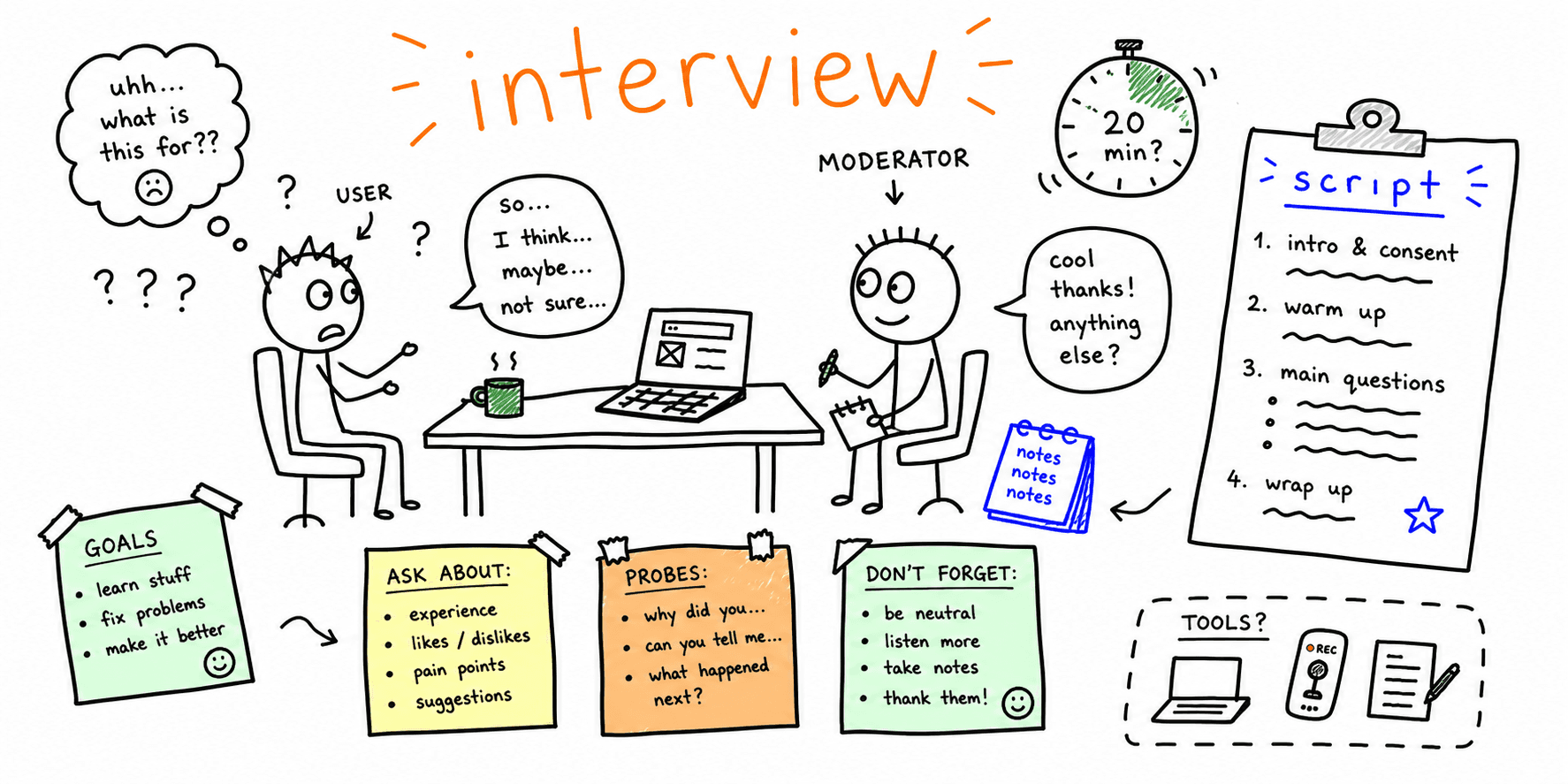

User interviews reveal motivations, needs, and language. This template helps you plan, run, and summarize interviews with less overhead.
What you'll get:
- A copy/paste user interview template
- A moderator guide script
- A note-taking template
Use the sections below as building blocks; keep what you need and delete the rest.
To recruit the right participants, use the user research screener template.
References for this guide are listed at the end.
What is a user interview template?
A user interview template is a structured guide for planning and running interviews. It helps you define questions, capture answers, and keep sessions consistent across participants.
When to use user interviews
User interviews are a qualitative method used to learn about users' experiences, needs, and pain points. They are often used early in discovery or when you need deeper context.
What to include in a user interview template
Most interview guides include:
- Research goals and questions
- An interview guide with open-ended prompts
- A warm-up section to build rapport
- Follow-up probes
- A note-taking format
User Interviews highlights a moderator guide and note-taking template as core assets. Xtensio recommends a simple structure: introduction, warm-up, main body, and room for feedback.
User interview template (copy/paste)
1. Research goals
- What do we need to learn?
- What decisions will this interview inform?
- What questions must be answered?
2. Participant profile
- Target users:
- Key behaviors:
- Inclusion criteria:
- Exclusion criteria:
3. Session logistics
- Session length:
- Moderator:
- Note taker:
- Recording:
- Incentive:
4. Interview guide
Intro (2-5 min)
- Thank participant and explain purpose
- Explain how the data will be used
- Ask for consent to record
Warm-up (5 min)
- Tell me about your role and day-to-day work
- Walk me through a typical [task]
Core questions (20-30 min)
- What is the hardest part of [task]?
- What tools do you use today?
- Tell me about the last time you [task]
Follow-up probes
- Tell me more about that
- What happened next?
- Why was that important?
Wrap-up (5 min)
- Is there anything we did not cover?
- Can we contact you for follow-up research?
Moderator guide script (example)
Use this script at the start of the session.
Opening
Thanks for joining today. We are doing research to understand your experience with [topic]. There are no right or wrong answers. I may ask follow-up questions to learn more.
Consent
Is it ok if I record this session and take notes?
Warm-up
To start, can you tell me about your role and how you typically handle [task]?
Note-taking template (copy/paste)
| Section | Question | Key quotes | Observations | Tags | Follow-ups |
|---|---|---|---|---|---|
| Warm-up | Role and context | ||||
| Core | Last time you [task] | ||||
| Core | Pain points | ||||
| Wrap-up | Anything else |
User interview checklist
- Research goals are specific and actionable
- Open-ended questions are prepared
- Follow-up probes are ready
- Warm-up questions are included
- A note-taking format is set
Common mistakes to avoid
- Leading questions that bias answers
- Overloading the guide with too many questions
- Skipping follow-up probes
FAQ
How long should a user interview be?
User Interviews notes that 30 minutes is common, and Miro recommends keeping interviews under an hour.
Should you use an interview guide?
Nielsen Norman Group recommends preparing an interview guide with open-ended questions and using it flexibly.
Should you record and take notes?
User Interviews recommends a note taker so the moderator can focus on the participant.
References
- Nielsen Norman Group — User Interviews
- User Interviews — User Interview
- Miro — User Interview
- Stephanie Walter — A Cheatsheet For User Interview And Follow Ups Questions
- Xtensio — User Interview Template
Related resources
- User interview questions template
- UX research plan template
- User persona template
- Usability testing template
- UX audit template
If you want a fast UX review for a specific page, start here: Website UX Audit
Want client-ready UX findings in minutes? Roast My Web generates branded PDF audit reports with prioritized UX, conversion, and SEO fixes.