Jera Value

A cognitive walkthrough tests how first-time users move through a task, step by step. Use this template to surface friction before you ship.
What you'll get:
- A copy/paste cognitive walkthrough template
- A concise cognitive walkthrough checklist
- The 4 key cognitive walkthrough questions
- A short example you can reuse
Use the sections below as building blocks; keep what you need and delete the rest.
After the walkthrough, validate findings with the usability testing template.
References for this guide are listed at the end.
What is a cognitive walkthrough?
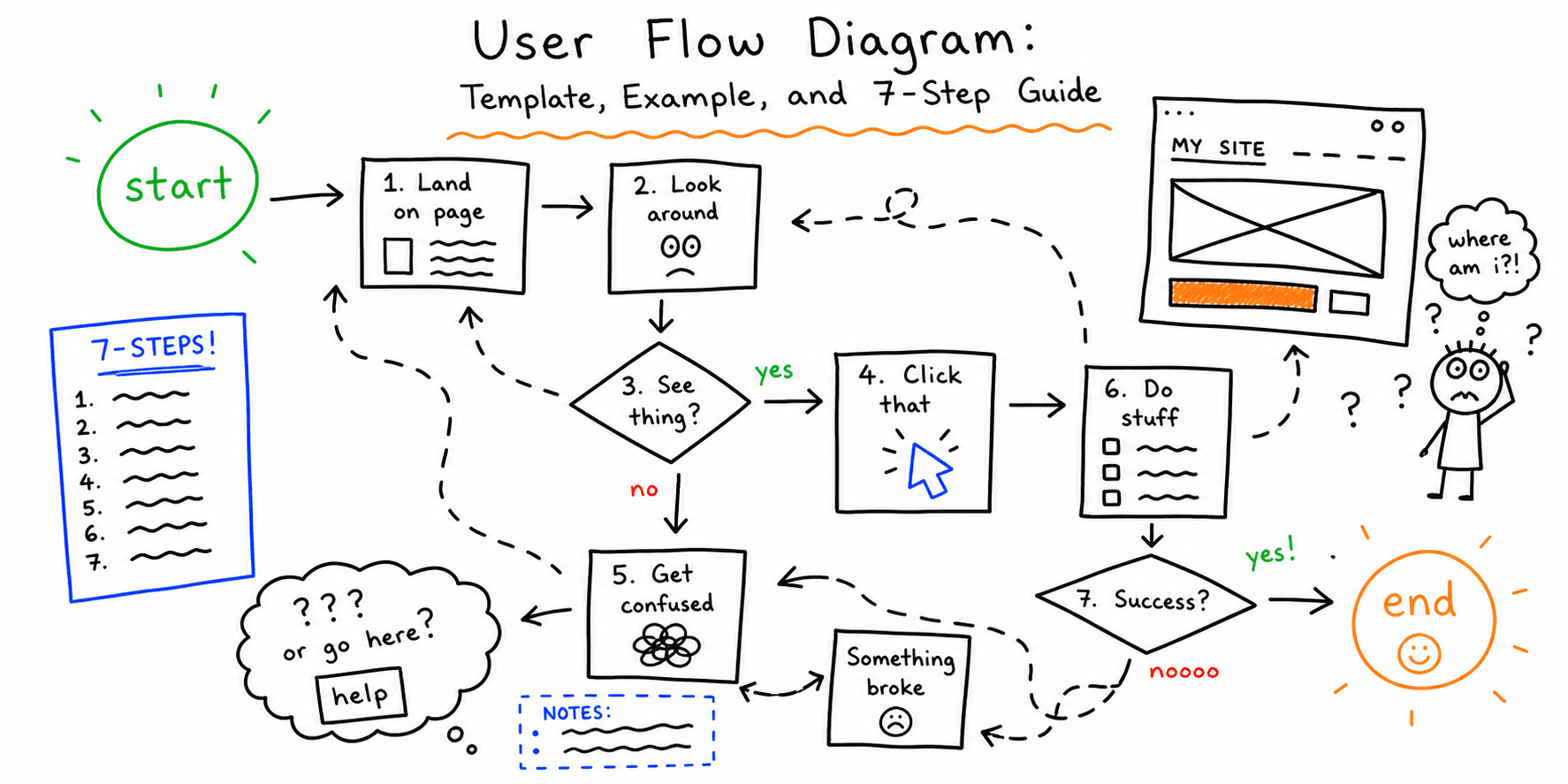
A cognitive walkthrough is a task-based usability inspection method that evaluates how learnable a system is from the perspective of a new user. Reviewers step through a task flow and answer a set of structured questions to find places where users will get stuck.
When to use a cognitive walkthrough
This method works best when you need to evaluate learnability for new, complex, or unfamiliar workflows. It is especially useful early in design, when changes are cheap and the team can still change direction.
The 4 cognitive walkthrough questions
These four questions are the core of the method. Ask them at each step of the task.
- Will the user try to achieve the right result?
- Will the user notice that the correct action is available?
- Will the user associate the correct action with the result they want?
- After the action, will the user see that progress is made?
How to run a cognitive walkthrough (step-by-step)
- Define the users and context. Make the scenario realistic.
- Choose 1 to 3 critical tasks. Focus on what new users would try first.
- Assemble evaluators. A small group with varied roles is ideal.
- Walk the task step-by-step. Pause at each step and apply the 4 questions.
- Record issues and evidence. Note where the user would fail or hesitate.
- Consolidate findings. Combine notes, remove duplicates, prioritize fixes.
Cognitive walkthrough template (copy/paste)
Use this template in a spreadsheet or doc. It follows the four-question structure and makes prioritization easy.
Issue log template
| Step | User goal | Action | Expected feedback | Q1 | Q2 | Q3 | Q4 | Issue summary | Severity (0-4) | Recommendation |
|---|---|---|---|---|---|---|---|---|---|---|
| 1 | Reset password | Click "Forgot password" | Confirmation email sent | Y | Y | Y | N | No success message after submit | 2 | Add inline confirmation + resend option |
Severity scale (simple)
- 0 = Cosmetic
- 1 = Minor friction
- 2 = Slows task completion
- 3 = Likely to cause failure
- 4 = Blocks task
Cognitive walkthrough checklist (compact)
Use this checklist to run fast walkthroughs.
- Define the user persona and context
- List 1 to 3 core tasks
- Break each task into clear steps
- Ask the 4 questions at every step
- Record issues with evidence
- Rank by severity
- Turn top issues into fixes
Example (mini walkthrough)
Scenario: A new user tries to book a demo.
Step 1: User clicks "Book a demo" in the header.
- Q1: Will the user try to achieve the right result? Yes
- Q2: Will they notice the action? Yes
- Q3: Will they associate it with the goal? Yes
- Q4: Will they see progress? No (page reloads without a clear next step)
Issue: The user does not get clear feedback that the request started. Fix: Add a confirmation state and a brief "Next, pick a time" prompt.
Cognitive walkthrough vs heuristic evaluation
Heuristic evaluation is a broad review against usability principles. Cognitive walkthrough is narrower and focuses on learnability for specific tasks.
FAQ
How many evaluators do I need?
Your Washington recommends a small group with varied roles, typically 2 to 6 evaluators.
Can I run this without real users?
Yes. Cognitive walkthroughs are expert or team-based inspections and do not require recruiting users.
Are cognitive walkthroughs enough on their own?
No. They are best paired with usability testing for real user behavior.
References
- Nielsen Norman Group — Cognitive Walkthroughs
- Interaction Design Foundation — Cognitive Walkthrough
- Washington State — Cognitive Walkthrough
- Dovetail — Cognitive Walkthrough
- Emergo by UL — What Cognitive Walkthrough And Why Are They Beneficial Medical Device Development
Related resources
- Website UX checklist
- Website usability checklist
- How to conduct usability testing
- Website UX best practices
- Website audit checklist
If you want a fast UX audit for a specific page, start here: Website UX Audit
Want client-ready UX findings in minutes? Roast My Web generates branded PDF audit reports with prioritized UX, conversion, and SEO fixes.