Jera Value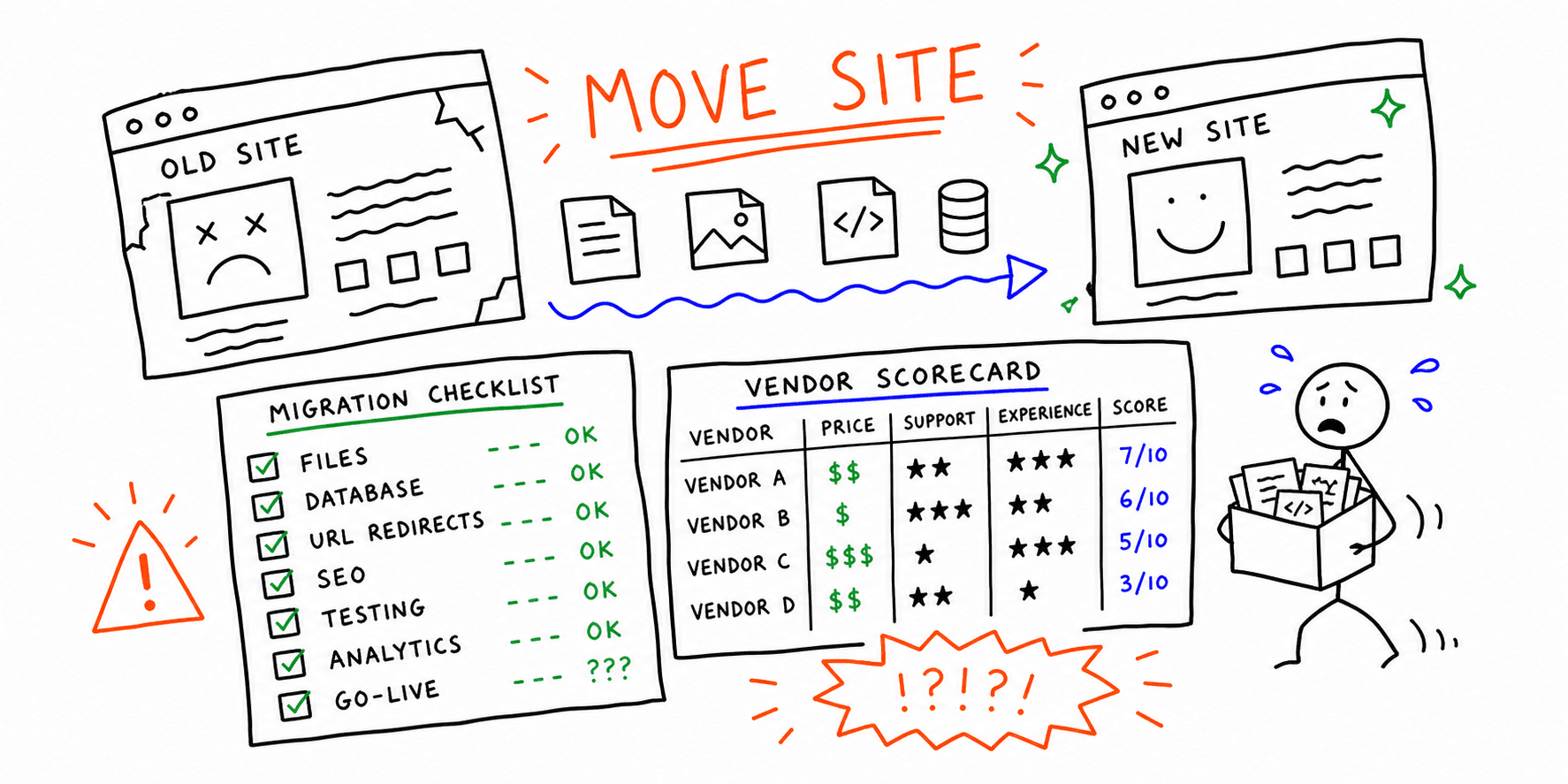

A website migration service helps you move a site without breaking rankings, conversion paths, or analytics continuity. If you are changing domains, platforms, or URL structure, migration risk is not theoretical: pages disappear, redirects fail, and performance drops can reduce revenue quickly.
This guide gives you:
- What a strong website migration service should include
- A copy/paste site migration checklist
- A copy/paste SEO migration checklist
- A practical vendor scorecard you can use to pick a provider
Need baseline technical visibility first? Run a technical website audit, then validate on-page issues with the SEO audit tool and a full site analysis.
Website migration service vs site migration service
Website migration service and site migration service usually point to the same commercial intent. Buyers typically need a team that can plan, launch, and monitor a move without traffic or conversion losses.
The wording differs by org:
- Marketing teams often search for
website migration service - Technical teams often search for
site migration service
If your project includes URL changes, replatforming, or domain changes, treat both keywords as one service-intent cluster.
What a strong website migration service includes
A quality provider should cover six workstreams:
- Discovery and inventory: Crawl the old site, export all URLs, and map key pages.
- Migration plan: Define scope, timeline, owners, dependencies, and rollback rules.
- Redirect strategy: Create and test 301 redirects from old URLs to new destinations.
- Technical QA: Validate indexability, canonicals, metadata, robots, sitemap, and schema.
- Analytics continuity: Preserve tracking, goals, and attribution.
- Launch monitoring: Watch crawl errors, ranking movement, and conversion anomalies.
If a provider cannot show a concrete redirect QA process, that is a red flag.
When you should use a website migration service
Use a website migration service when you are doing any of the following:
- Moving to a new domain or subdomain
- Replatforming (CMS changes, ecommerce platform changes)
- Major redesign with new URL structure
- HTTPS upgrades or hosting changes that affect URLs
- Internationalization (new language or country folders)
If you are changing URLs at scale, a migration service is not optional. It is risk control for organic traffic and sales performance.
Types of migrations (and why scope changes risk)
- Domain migration:
oldsite.comtonewsite.com. Highest SEO risk. - Platform migration: WordPress to Webflow, Shopify to headless, etc.
- Structure migration: New IA, new folders, or large URL changes.
- Protocol migration: HTTP to HTTPS.
- Subdomain or folder migration:
blog.example.comtoexample.com/blog.
Each type requires a slightly different website migration plan, but all share one core rule: no URLs should disappear without a mapped redirect.
Site migration checklist (copy/paste)
Use this site migration checklist to avoid the most common launch failures.
Pre-migration
- Crawl the old site and export all indexable URLs
- Identify top traffic and revenue pages
- Freeze major copy and template changes before launch week
- Build a redirect map (old URL -> new URL)
- Validate canonical tags, robots.txt, sitemap, and hreflang strategy
- Back up analytics, goals, and events
- Capture benchmark metrics (sessions, rankings, conversions, CWV)
- QA staging for metadata, internal links, and noindex flags
Launch day
- Deploy 301 redirects and test top pages first
- Verify analytics, tag manager, and conversion events
- Submit updated sitemap in Search Console
- Check indexability, canonical consistency, and crawl access
- Run a quick technical scan for broken links and 4xx/5xx issues
Post-migration (first 2 to 6 weeks)
- Monitor 404s daily and patch missing redirects
- Track rankings and traffic for key pages
- Compare pre/post analytics for anomalies by channel
- Update internal links to new URLs
- Re-crawl the site weekly until error trend stabilizes
SEO migration checklist (copy/paste)
Use this SEO migration checklist when preserving organic visibility is a core requirement.
Technical SEO checks
- Every legacy indexable URL has exactly one final 301 destination
- No redirect chains on high-value pages
- Canonical tags point to live self-referencing destination URLs
- XML sitemap contains only canonical 200-status URLs
- Robots directives are consistent between staging and production
Content and metadata checks
- Title tags and H1s are preserved on top landing pages
- Meta descriptions are retained for top organic pages
- Structured data is preserved for key templates
- Internal links are updated to destination URLs (not old paths)
Measurement and reporting checks
- GA4 events and conversions fire on key templates
- Search Console is verified for the correct property type
- Daily rank and traffic dashboard is in place before launch
- Baseline vs post-launch KPI comparison is documented
For broader SEO QA, combine this with the website audit checklist and website SEO audit checklist.
Website migration service scorecard (how to choose a provider)
Ask these questions before you hire anyone:
- Do you provide a full redirect map?
- How do you protect SEO and rankings?
- What does your QA process look like?
- Do you include post-launch monitoring?
- Have you migrated sites in my industry or platform?
A good provider should show you proof artifacts, not just a timeline.
Use this scoring model when comparing vendors:
| Criteria | Weight | What good looks like |
|---|---|---|
| Migration planning depth | 25% | Full timeline, owners, dependencies, rollback plan |
| Redirect and technical QA | 30% | URL mapping sheet, testing plan, validation checklist |
| SEO continuity and reporting | 20% | Baseline metrics plus launch and post-launch reporting commitments |
| Analytics and conversion safety | 15% | Event QA, conversion validation, anomaly monitoring |
| Post-launch support | 10% | 2 to 6 week monitoring window with issue triage SLA |
Score each provider 1-5 per category, multiply by weight, and compare total weighted scores.
Website migration cost (what drives it)
Website migration cost depends on:
- Site size: Number of URLs and content types
- Complexity: Ecommerce, filters, multiple languages, or custom apps
- Platform change: Full replatforms take more time
- SEO risk tolerance: More QA means more cost
- Timeline: Fast launches usually cost more
Typical ranges vary by complexity:
| Project type | Typical range (USD) |
|---|---|
| Small brochure site migration | 2,000 to 8,000 |
| Mid-size marketing site with SEO safeguards | 8,000 to 25,000 |
| Ecommerce or multilingual migration | 25,000 to 100,000+ |
If you need a lower-cost option, do the planning and QA framework internally, then hire implementation support. Do not skip redirect and analytics QA.
Sample website migration plan (simple version)
Here is a basic website migration plan you can adapt:
- Week 1: Audit, crawl, and URL inventory
- Week 2: Redirect map, template QA, analytics QA
- Week 3: Launch + Search Console + daily checks
- Weeks 4-6: Monitoring, fixes, and performance recovery
Should you DIY or hire a service?
DIY can work for small sites with minimal URL changes. If you have a large site, paid traffic, or SEO-driven revenue, a website migration service is worth it. The cost of a botched migration is almost always higher than the service fee.
14-day post-launch monitoring plan
Days 1-3:
- Check 404/5xx spikes and redirect gaps twice daily
- Validate top commercial pages manually (desktop and mobile)
- Compare conversion events against pre-launch baseline
Days 4-7:
- Review ranking movement for top pages and templates
- Re-crawl critical sections and fix internal link drift
- Prioritize fixes by revenue impact and crawl frequency
Days 8-14:
- Confirm error trend is flattening
- Finalize redirect edge cases and sitemap cleanup
- Present pre/post migration scorecard to stakeholders
Post-migration checks that still matter after day 14
After launch, keep a close eye on:
- Crawl errors and index coverage
- Organic traffic trend lines
- Rankings for top pages
- Conversion rate and key events
- Page speed and Core Web Vitals
You can use the technical website audit and SEO audit tool to document before-and-after results.
Related resources
- Website launch checklist
- Website redesign requirements
- Website redesign process
- Website planning template (Word)
- Site health check
- Site performance audit
Final takeaway
A website migration service is not just implementation. It is controlled risk transfer for SEO, UX, and revenue. Use the site migration checklist and SEO migration checklist together, score vendors with clear criteria, and monitor outcomes for at least two weeks after launch.