Jera Value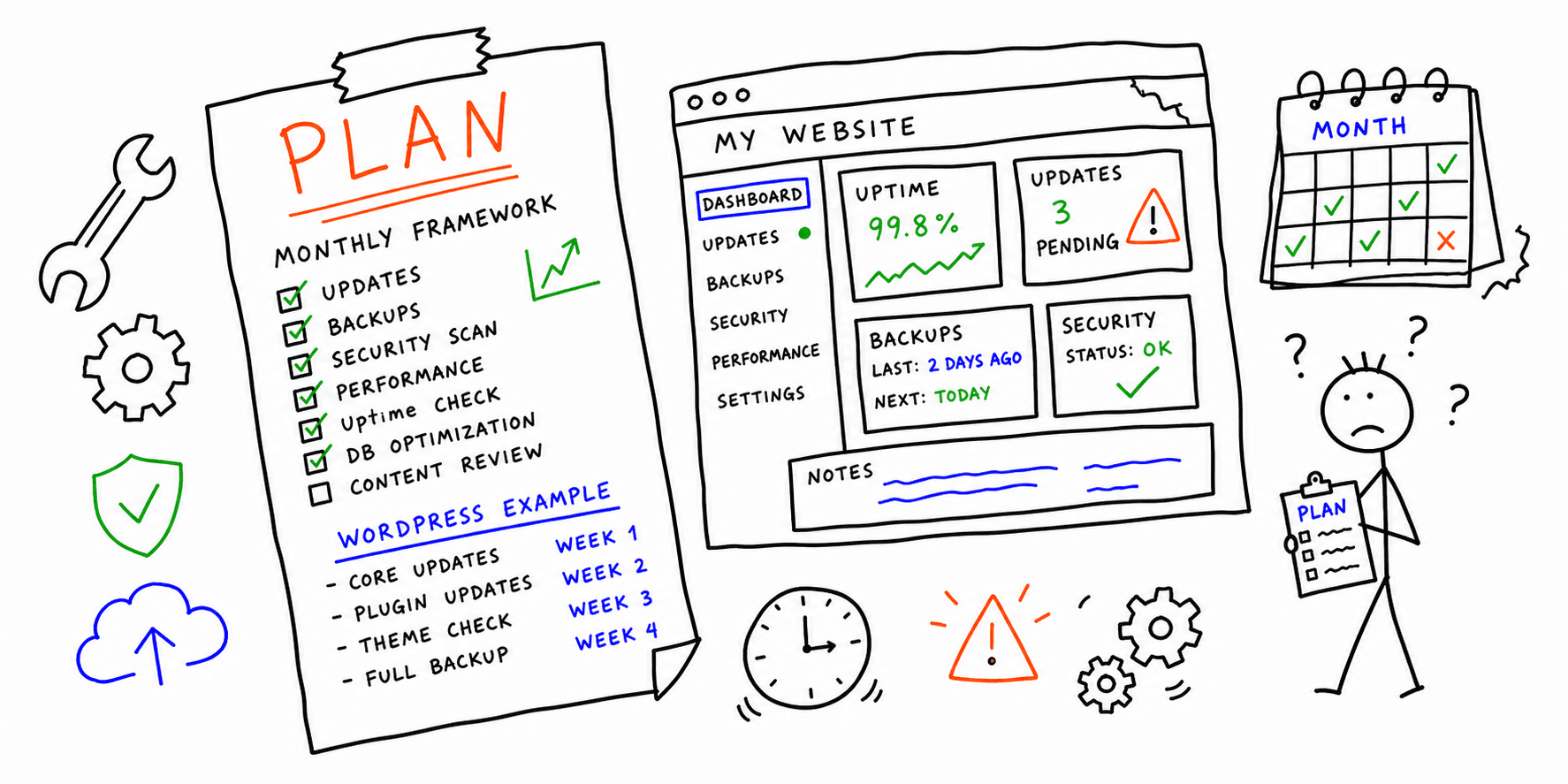

A website maintenance plan keeps your site secure, fast, and conversion-ready. This guide gives you a reusable website maintenance plan template, then shows how to adapt it for WordPress.
Need a baseline report before you plan fixes? Start with the website audit tool, site health check, or technical website audit.
Website maintenance plan template (copy/paste)
Use this as your default document in Notion, Google Sheets, or your ticketing tool:
| Area | Task | Frequency | Owner | SLA target | Tooling |
|---|---|---|---|---|---|
| Security | Core/CMS updates + plugin/theme patching | Weekly | Developer | Critical patches < 48 hours | CMS updater + changelog |
| Backups | Verify backup and test one restore path | Monthly | Developer | Restore test passes monthly | Hosting backup + staging |
| Performance | Check CWV and page speed on top pages | Monthly | Developer/SEO | LCP < 2.5s on money pages | Core Web Vitals test |
| SEO hygiene | Crawl errors, broken links, indexability | Monthly | SEO | No unresolved critical errors | SEO on-page analysis |
| Conversion paths | Test forms, checkout, demo, signup flows | Weekly | Growth | Zero broken conversions | Session replay + QA script |
| Content freshness | Update pricing, screenshots, key CTAs | Monthly | Content owner | No stale revenue-page claims | CMS + release notes |
| Tracking & analytics | Validate events and attribution tags | Monthly | Analytics | 100% key events firing | Tag manager + analytics |
What a website maintenance plan should include
At minimum, your plan should define:
- Scope: which URLs, templates, and systems are covered
- Owners: one accountable person per task
- Frequency: weekly/monthly/quarterly cadence
- SLA rules: how fast critical issues are fixed
- Evidence: where each task is recorded (tickets, changelog, docs)
If these are missing, the plan usually turns into an ad hoc checklist that nobody maintains.
WordPress website maintenance plan (practical example)
If your stack is WordPress, use this lightweight version:
Weekly (WordPress)
- Update WordPress core on staging first
- Update plugins/themes and review changelogs
- Test forms, checkout, and primary navigation
- Check security logs and brute-force attempts
Monthly (WordPress)
- Optimize database and clean post revisions
- Review unused plugins and remove bloat
- Run performance tests on top templates
- Re-check structured data, canonical tags, and XML sitemap
Quarterly (WordPress)
- Audit top plugins for replacements or consolidation
- Review hosting plan against traffic and cache needs
- Refresh top landing pages for UX and conversion friction
- Re-run full technical checks with website audit software
30-60-90 rollout for a new maintenance plan
- Days 1-30: Baseline audits, define owners, document SLAs.
- Days 31-60: Launch weekly/monthly routines and ticket workflow.
- Days 61-90: Trim low-value tasks, automate repeat checks, publish monthly scorecard.
How this differs from a checklist page
Use this page when you need governance (ownership, SLA, cadence, escalation). Use the website maintenance checklist when you only need a simple task list.
Related resources
- Website maintenance checklist
- Website maintenance cost
- Website maintenance packages
- Website launch checklist
Final thoughts
A website maintenance plan template is most effective when it defines ownership and response time, not just tasks. Start with the template above, tailor the WordPress section to your stack, and review it every month.