Jera Value
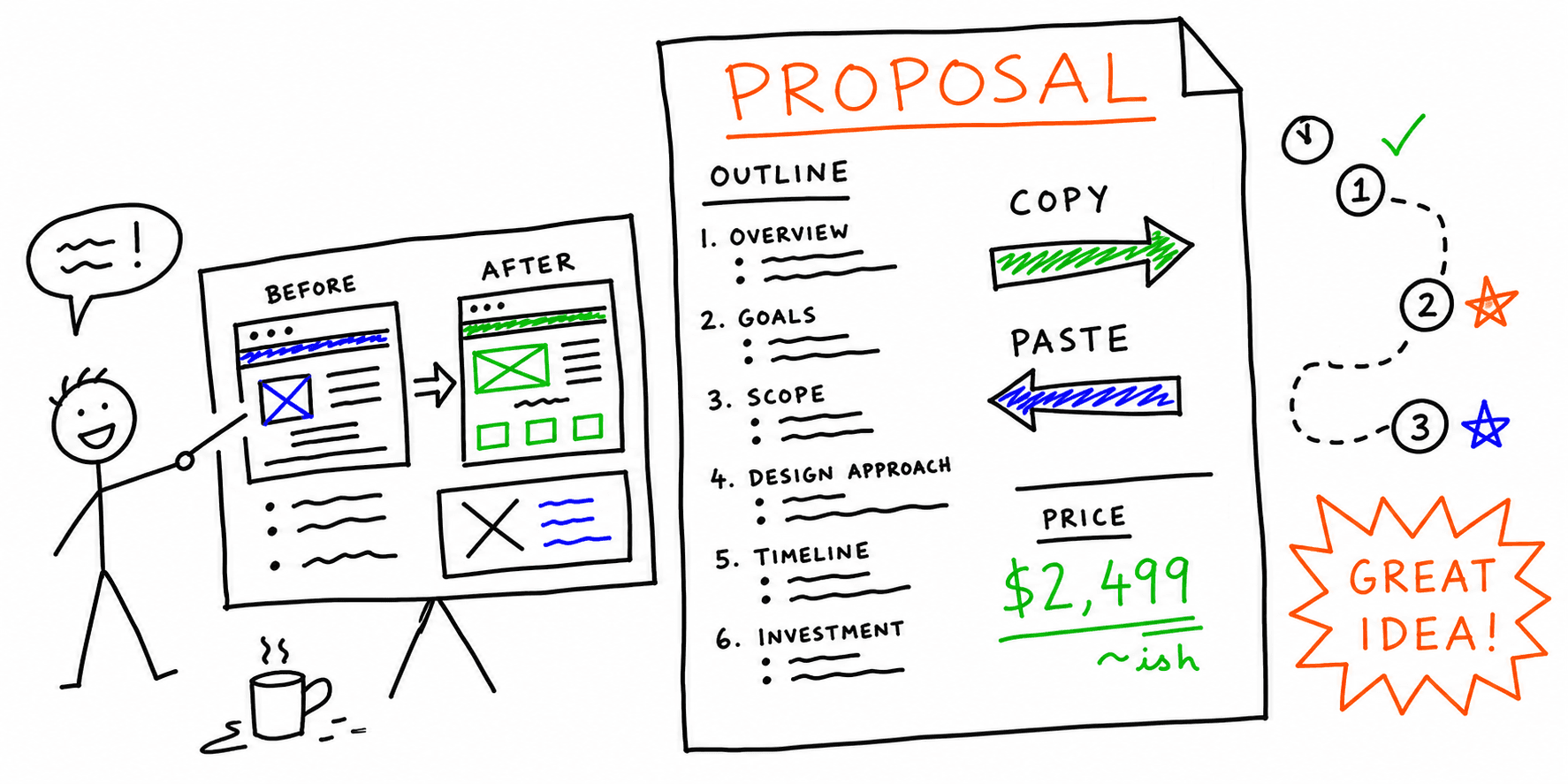

A website redesign proposal has one job: to get the client to approve the project. Your process and your price matter, but a client approves a redesign when they agree that their current site has a problem that costs them customers. So this website redesign proposal template starts with what you found on the client's current site. The price comes after the reason for the work.
This page is a free kit for that process, in the order that you use it. First copy the template. Then audit the client's current site to write its first section. Send the audit with three short emails, and walk the client through the findings on a call. You do not need to give an email address to copy the template or the emails.
Website redesign proposal template (copy/paste)
Copy the outline below into your own document and replace the text in square brackets. Keep the order, because the client must agree with section 1 before the price in section 7 makes sense. If you prefer to start from a Word file, our website planning template has a Word version of a similar plan.
1) What we found on your current site
- Page and date: I reviewed [page address] on [date], without access to your analytics.
- Finding 1: [What I saw on the page]. This matters because [what it costs the business, such as calls, bookings or sales]. Proof: [screenshot, quote from the page or measured value].
- Finding 2: [What I saw]. This matters because [the cost to the business]. Proof: [proof].
- Finding 3: [What I saw]. This matters because [the cost to the business]. Proof: [proof].
- Full report: [link to the audit report].
2) Goals
- Main goal: [more quote requests, more bookings or more online sales].
- How we measure it: [the number in your analytics, booking tool or CRM].
- First check: [date, usually 30 to 60 days after launch].
3) Scope
- Pages included: [homepage, service pages, contact page].
- Fixes from section 1 that this project includes: [findings 1, 2 and 3].
- Not included: [new photos, ongoing SEO, copywriting for the blog].
4) Deliverables
- [Sitemap and page structure]
- [Wireframes for the main page types]
- [Visual design for desktop and phones]
- [Build, tests on phones and browsers, and launch]
5) Timeline
- Phase 1: fix the problems from section 1. [dates]
- Phase 2: design and content. [dates]
- Phase 3: build and test. [dates]
- Phase 4: launch and the first check after launch. [dates]
6) What we need from you
- [Logins for the hosting, the CMS and the analytics]
- [Text, photos and brand files, by a date]
- [One person who approves the work, and a review time of a few working days]
7) Price and payment terms
- Option A: the fixes from section 1 only. [price]
- Option B: the full redesign. [price]
- Payment schedule: [for example, 50% at the start and 50% at launch].
8) Next steps
- [Approve this proposal by date]
- [We book a kickoff call]
- [You send the access from section 6]
Section 1 does most of the work in this template. Two or three findings with proof are enough, and each finding must name a cost that the client already feels. Option A in section 7 gives the client a small first project, so they can see how you work before they approve the full redesign. Our website redesign requirements checklist helps you fill in the scope, and the website redesign strategy guide helps you plan the phases.
Step 1: audit their current site
To write section 1, audit the page that matters most to the client's business. This is usually the homepage, or the page that brings them customers, such as a booking page or a service page. An audit of one page is enough for a proposal. The full review of the site belongs in phase 1 of the paid project.
Our sample website audit report shows what one audit gives you. Roast My Web audited the public stripe.com homepage on October 14, 2026. The audit made a Modern report with an overall score of 90, seven category scores and nine top recommendations. Stripe is not a Roast My Web customer, and Stripe did not request or endorse this audit. We chose a well-known page so that you can compare each finding with the live page.
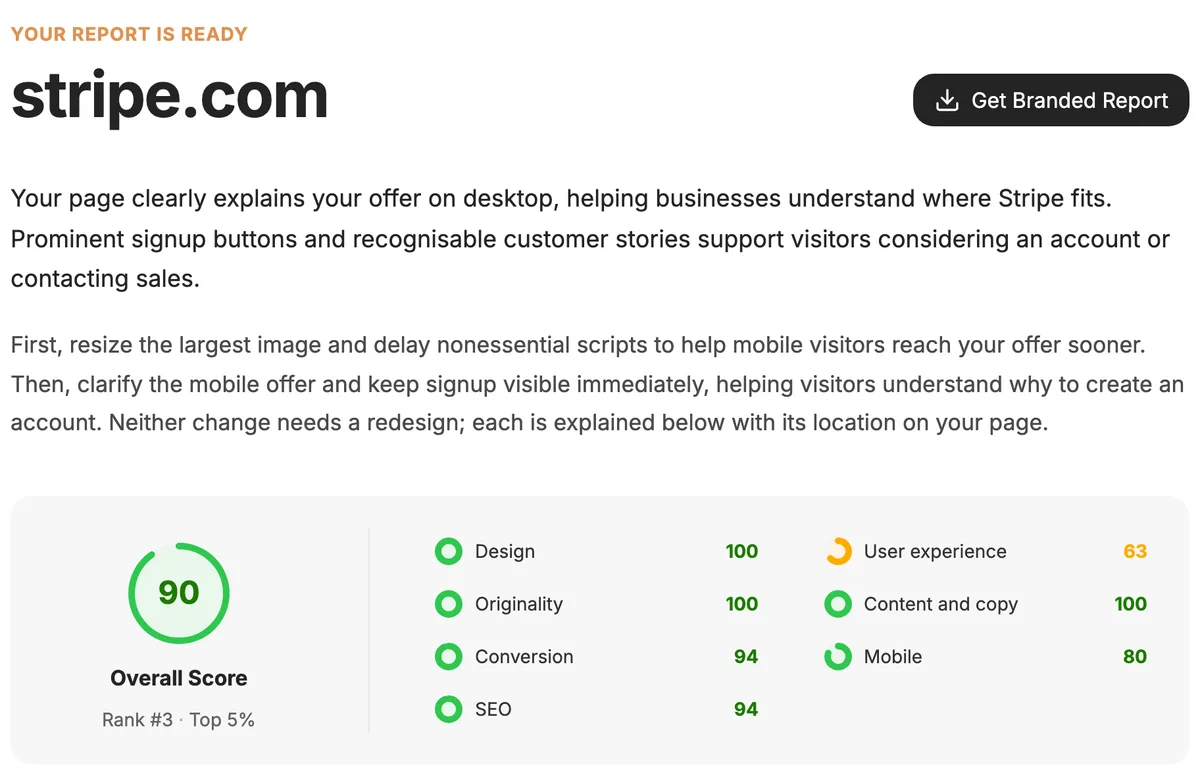
Each finding in the report already has the three parts that section 1 needs. For example, the first Do first finding in the Stripe report says that the first phone screen shows the signup buttons but does not explain the product. In a proposal, that finding becomes one line: "On phones, your first screen asks visitors to sign up before it tells them what you sell. Proof: the phone screenshot from October 14." Check each finding on the live page, and delete the findings that do not fit the client's business.
Audit your prospect’s site free
Type the page that you want to improve for the client. Create an account and your first audit is free, with no card.
One free audit for each new account. The audit checks one public page. It does not crawl the whole site.
Three short emails to send the audit and get the call
These three emails take the client from the audit to a call. Keep each one short enough to read on a phone, and change the words so that they sound like you. If you do not have prospects yet, our guide on how to get web design clients with a website audit shows how to choose businesses and pages.
Email 1: send the audit. Send it on the day that you check the findings.
Subject: Three things I found on your homepage
Hi [Name],
I looked at the [Business] homepage on my phone. The main button is below three screens of text, so visitors must scroll a lot before they can book.
I wrote a short report with this problem and two others, with screenshots and the change that I would make for each one: [link to the report]
Is getting more bookings from the website something you want to work on this year?
[Your name]
Email 2: follow up. Send it about a week later, only if the client did not reply.
Subject: Re: Three things I found on your homepage
Hi [Name],
I am sending this again in case my first email got lost. The report is here: [link to the report]
If now is not a good time, tell me and I will not write again.
[Your name]
Email 3: ask for the call. Send it when the client replies with interest or a question.
Subject: Re: Three things I found on your homepage
Hi [Name],
Thank you for reading the report. I can show you the three findings in 20 minutes and answer your questions. After the call, I will send a short proposal with a price for the fixes.
Does [day] at [time] or [day] at [time] work for you?
[Your name]
Send only one follow-up, and stop when someone asks you to stop. Follow the email rules of your country and of the client's country, and write only to a real business address.
How to walk a client through the findings on a call
The call turns the audit into a project. The client must leave the call with a clear picture of the problem and the first fix, so show less, not more. Use these steps:
- Start with their goal. Ask what the website must do for the business, and write down their words.
- Share your screen at the first Do first finding. Show the proof before you explain it.
- Connect the finding to their goal. Use their words from step 1, not technical terms.
- Say what you would change. Give the change and the time that it takes, not the method.
- Stop at three findings. Keep the other findings for the proposal or for a later phase.
- Agree on the next step. Tell them when they get the proposal, and send it within two working days.
Be honest about the scope of the audit. Tell the client that you reviewed one page on one date, without their analytics. A finding can show a problem, but it cannot prove how many customers the business loses, so do not give the client numbers that you cannot support. Ask for their analytics only after they approve phase 1.
SEO proposal template: the same outline for SEO work
An SEO proposal template uses the same eight sections, with different content in sections 1, 3 and 4. In section 1, list search problems that the owner can see on their main page. Good examples are a page title that does not name the service, a missing meta description, a page with no H1 heading and a slow page on phones.
In section 3, name the pages and the search topics that the project covers. In section 4, put a crawl of the whole site and a review of the client's Search Console data first. A one-page audit cannot show problems on the other pages. Measure the result in section 2 with impressions and clicks from Search Console, and do not promise rankings, because the search engines decide them.
A Roast My Web report checks on-page SEO signals and runs one simulated mobile speed test for one page. It does not crawl the whole site, track rankings or check backlinks. Use it for section 1, and put the full SEO audit in phase 1 of the paid project.
What the audits cost
Roast My Web sells audit credits in one-time packs, not by subscription. Each audit covers one public page and uses one credit. When you create a new account with the form on this page, your first audit is free.
| Pack | Audits | Price | Price per audit |
|---|---|---|---|
| Freelancer | 16 | $12 | $0.75 |
| Studio | 100 | $50 | $0.50 |
| Agency | 1,000 | $299 | about $0.30 |
A batch of 100 prospect homepages costs $50 with the Studio pack. Before you send a report, you can add your logo, company name, brand color and a "Book a call" button, and edit or delete any finding. See how client reporting works, with branding, the neutral report address and the report editor. The store page shows the current prices.
Audit your prospect’s site free
Type the page that you want to improve for the client. Create an account and your first audit is free, with no card.
One free audit for each new account. The audit checks one public page. It does not crawl the whole site.