Jera Value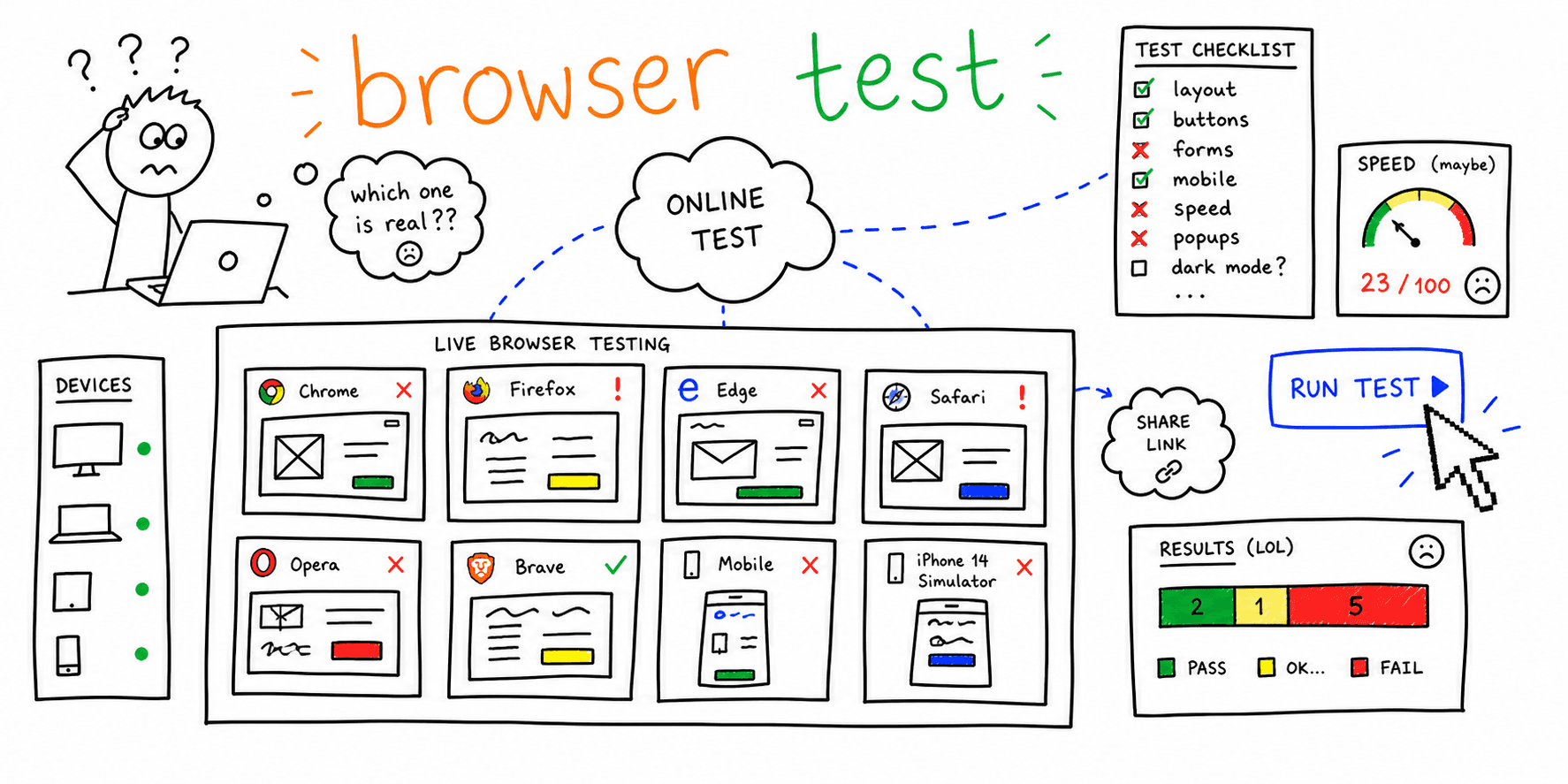

Running a web browser test online helps you find layout, JavaScript, form, and performance issues before real users hit them. Use this page when you need a fast browser check in a cloud session, not a full QA program.
For the full release workflow, use Cross Browser Testing: Step-by-Step Workflow + Checklist. For vendor selection, compare Cross Browser Testing Software & Tools.
Free online browser testing workflow
If you need an online browser testing free workflow, start with this sequence before paying for a larger device cloud:
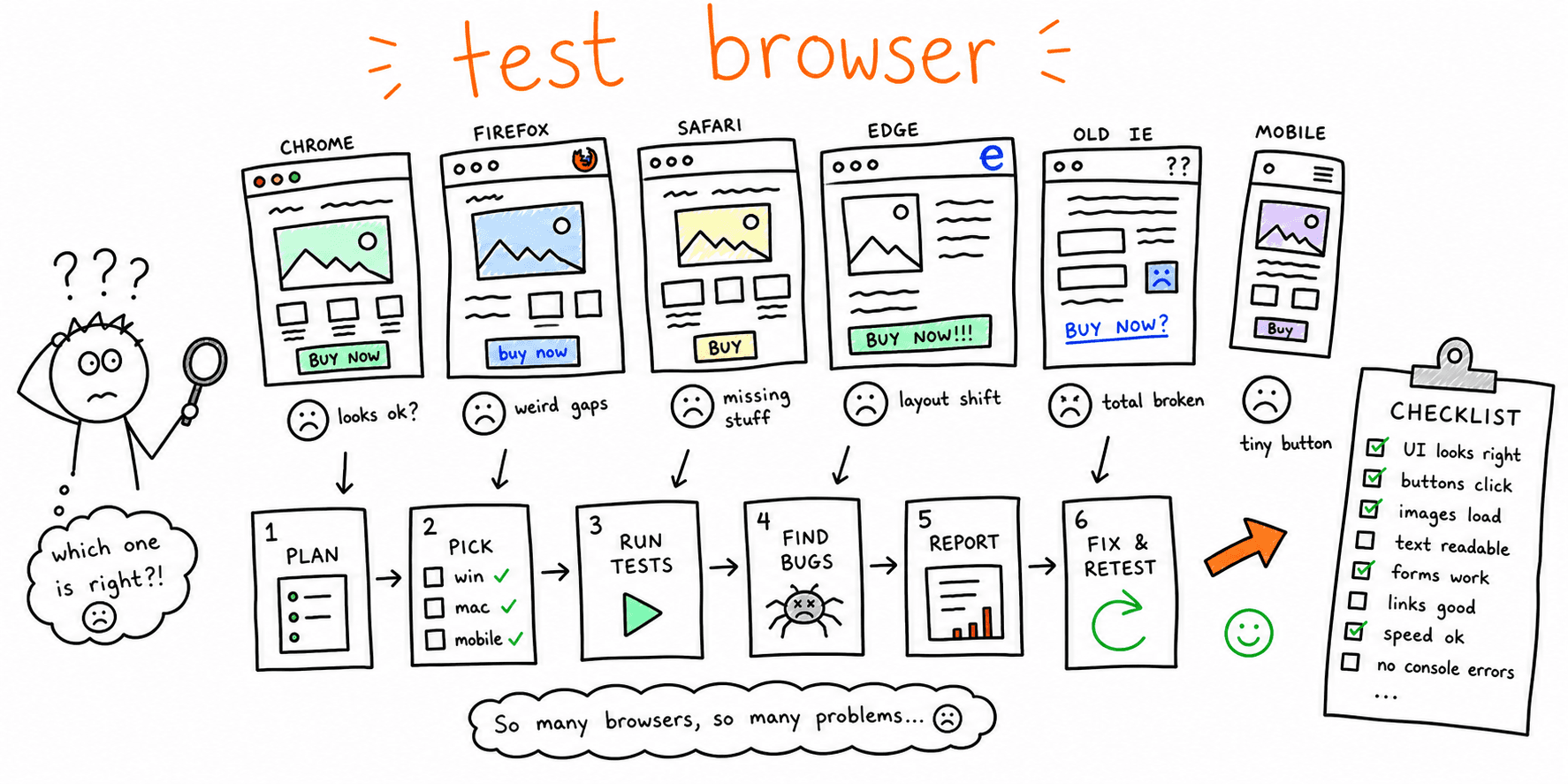
- Open your highest-traffic landing page in Chrome, Safari, Firefox, and Edge.
- Repeat the page on iOS Safari and Android Chrome.
- Run a realtime browser test on one conversion journey: landing page -> CTA -> form or checkout.
- Resize around your common breakpoints: mobile, tablet, laptop, and wide desktop.
- Save browser, operating system, viewport width, URL, screenshot, and expected behavior for every defect.
This quick pass is enough for a first browser check. It is not a replacement for the deeper cross browser testing workflow.
What is a web browser test online?
A web browser test online is a cloud-based browser session used to inspect a website in browsers, operating systems, and devices you do not have locally. Instead of maintaining a physical device lab, you open a remote browser, visit your URL, and verify rendering, interactions, forms, and performance-sensitive moments.
Use online browser testing when you need to:
- Check a browser or device you cannot access locally.
- Reproduce a bug reported by a customer on a specific browser.
- Validate a launch page before publishing.
- Compare Chrome, Safari, Firefox, and Edge behavior quickly.
- Capture screenshots, session videos, console logs, or network evidence for developers.
Online vs local browser testing
| Testing type | Best for | Limitation |
|---|---|---|
| Local browser testing | Fast development checks in browsers you use daily | Limited device and OS coverage |
| Online live testing | Manual QA on real or cloud-hosted browser sessions | Can become slow without a focused checklist |
| Automated cloud runs | Regression testing across a browser matrix | Requires test scripts and maintenance |
| Visual regression | Catching layout drift across browsers | Does not prove forms or flows actually work |
Most teams should combine local testing for day-to-day development with targeted online sessions before launches, campaigns, redesigns, and checkout or form changes.
What to test in an online browser session
Do not click randomly. Use a short checklist tied to user impact:
- First meaningful page render.
- Header, navigation, footer, and mobile menu.
- Primary CTA and form submission.
- Signup, checkout, booking, or lead-capture journey.
- Sticky elements, dropdowns, modals, and cookie banners.
- Console errors on critical pages.
- Layout at the smallest supported mobile width and common desktop width.
For a complete release checklist, move from this page to check website on different browsers.
Browser priority checklist
Start with browsers that represent real traffic and revenue. If you do not have analytics yet, use this practical default:
| Priority | Browser/device | Why it matters |
|---|---|---|
| 1 | Chrome desktop | Common baseline and debugging environment |
| 1 | iOS Safari | High mobile impact and WebKit-specific behavior |
| 1 | Android Chrome | Common mobile browser and device mix |
| 2 | Safari desktop | macOS-specific rendering and privacy behavior |
| 2 | Firefox desktop | Independent rendering engine |
| 2 | Edge desktop | Enterprise and Windows-heavy audiences |
| 3 | Older browser or device from analytics | Only test when your audience still uses it |
If your audience is mobile-heavy, pair this with Mobile Website Testing and Check Website on Different Devices.
Free vs paid online browser testing options
Free online browser testing is useful for one-off checks, trial runs, and reproducing a small number of issues. Paid tools become useful when you need parallel sessions, saved test evidence, real-device coverage, CI integration, or team workflows.
Use free trials to evaluate:
- How quickly sessions start.
- Whether your staging or localhost environment can be tested securely.
- Quality of screenshots, logs, and session recordings.
- Coverage for Safari, iOS, Android, Firefox, and Edge.
- Limits on minutes, sessions, and team seats.
For platform scoring, pricing tradeoffs, and tool categories, use the cross browser testing tools guide.
Common issues a browser check can catch
Online browser sessions are especially good at catching:
- Safari-specific layout bugs.
- Mobile viewport and safe-area issues.
- Form validation differences.
- Broken date, file, or payment inputs.
- Video and audio playback problems.
- Sticky header or modal layering defects.
- JavaScript errors that only appear in one browser engine.
When a defect appears, log the exact browser, device, operating system, viewport, URL, reproduction steps, expected result, actual result, and evidence.
FAQ
Is a web browser test online the same as cross browser testing?
Not exactly. A web browser test online is usually one live cloud-browser session. Cross browser testing is the broader process of defining coverage, testing critical journeys, triaging bugs, and adding regression gates.
What is the fastest browser check before launch?
Test one desktop and one mobile version of your highest-value page, then complete the main conversion action in Chrome, Safari, Firefox, and Edge.
Should I use a free online browser testing tool?
Use a free tool or trial for occasional checks. Use a paid platform when release quality depends on repeatable evidence, real-device coverage, parallel sessions, and CI automation.
What should I do after finding a browser bug?
Create a bug report with browser, operating system, device, viewport, URL, steps to reproduce, screenshot or video, expected behavior, actual behavior, and severity.
Next steps
Run a quick browser check here first. Then use the cross browser testing workflow to turn the check into a repeatable QA process, or compare cross browser testing software if you need a larger testing stack.